

AVAYA DOCUMENTATION CENTER
Find answers to your technical questions and learn how to use our products
Deploying Avaya Wireless DECT with IP Office
Reserving Licenses
Licenses are automatically assigned to extensions in order of registration. However existing extensions can reserve a license in order to ensure they do not become unlicensed when new extensions added to the system manage to register first following a system reboot.
- In IP Office Manager, select
 Extension and then select the DECT extension.
 - Select the IP DECT tab. Note, the appearance of this menu will vary depending on whether you are doing a provisioned or non-provisioned installation.
ADDITIONAL INFORMATION:
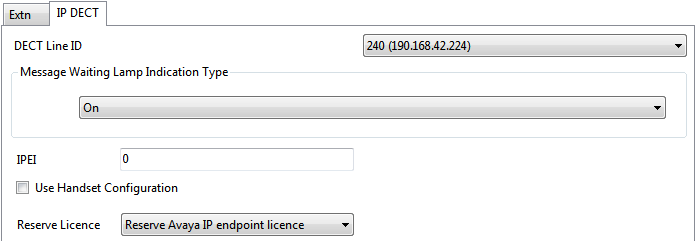
- The Reserve Avaya IP endpoint license setting is used to reserve an existing license for the extension. The option is greyed out if the configuration does not have sufficient unreserved licenses remaining.
- Repeat the process for any other extensions for which you want to reserve the license.
- Save the configuration back to the IP Office system.