

AVAYA DOCUMENTATION CENTER
Find answers to your technical questions and learn how to use our products
Deploying Avaya Wireless DECT with IP Office
QoS/ToS Settings
If the network uses QoS/ToS for VoIP traffic, the base station should be configured to use the same settings.
- In the browser connection to the base station, in the left-hand panel select IP. Select the Settings tab.
ADDITIONAL INFORMATION:
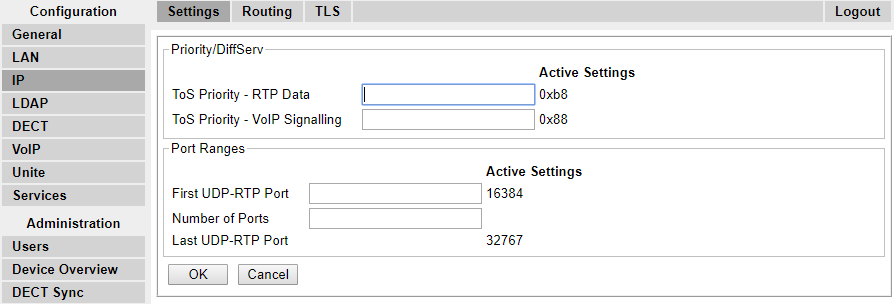
- Set the ToS Priority - RTP Data value to match the IP Office's DSCP (Hex) value.
- Set the ToS Priority - VoIP Signalling value to match the IP Office's SIG DSCP (Hex) value.
- Click OK.