

AVAYA DOCUMENTATION CENTER
Find answers to your technical questions and learn how to use our products
Deploying Avaya Wireless DECT with IP Office
Master Base Station
- Access the master base stations configuration.
- In the left-hand panel select DECT. Select the System tab.
ADDITIONAL INFORMATION:
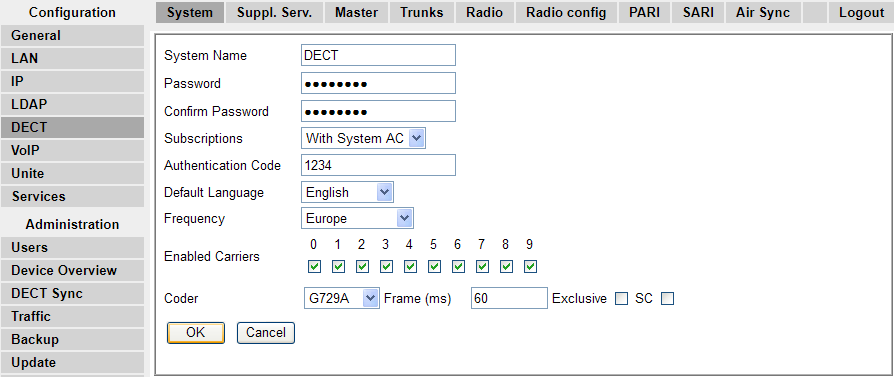
- Check that the Subscriptions field:
ADDITIONAL INFORMATION:
-
With System ACIP Office provisioning will automatically set this field when the IP DECT line subscription setting is set to auto-create.
-
With User ACIP Office provisioning will automatically set this field when the IP DECT line subscription setting is set to Preconfigured.
-
Note the number set in the Authentication Code field.
-
Click OK.
-