

AVAYA DOCUMENTATION CENTER
Find answers to your technical questions and learn how to use our products
Deploying Avaya Wireless DECT with IP Office
Loading Parameter Definition Files
The parameter definition files supplied with the Avaya Wireless DECT software include software files used to update the phone software. These files must be uploaded to WinPDM in order to allow phones to be upgraded.
- Start the AIWS Device Manager or Windows Device Manager.
- Select File | File management.
ADDITIONAL INFORMATION:

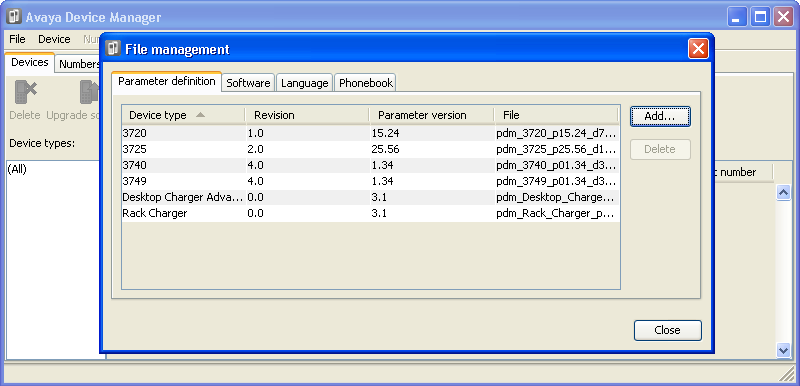
- Select the Parameter definition tab. Click Add.
- Browse to the Handsets folder in the software previously unpacked. Select the .pkg files in the folder and click Open.
ADDITIONAL INFORMATION:

- Click Add...
- Browse to the Chargers folder in the software previously unpacked. Select the .pkg files in the folder and click Open.
ADDITIONAL INFORMATION:

- The list of parameter definition files should now be complete.
ADDITIONAL INFORMATION:
- Select Close.