AVAYA DOCUMENTATION CENTER
Find answers to your technical questions and learn how to use our products
Deploying Avaya Wireless DECT with IP Office
Applying Templates to Phones
The use of the Device Management Application to load templates is not supported for systems installed and maintained using IP Office provisioning mode. In that mode, the IP Office automatically applies settings that match those detailed in IP Office User Features.
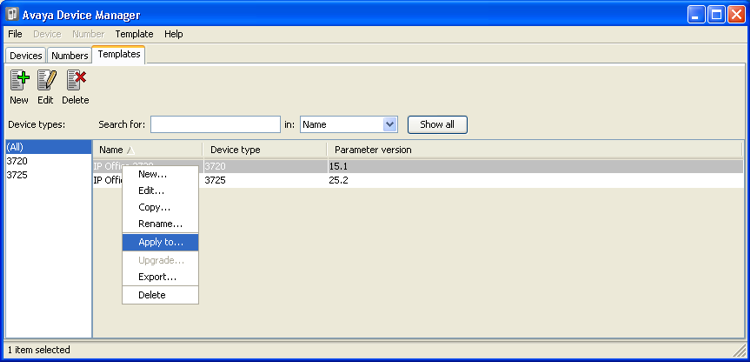
- Within the Avaya Device Manager, select the Templates tab.
- Right-click on the template and select Apply to....
ADDITIONAL INFORMATION:
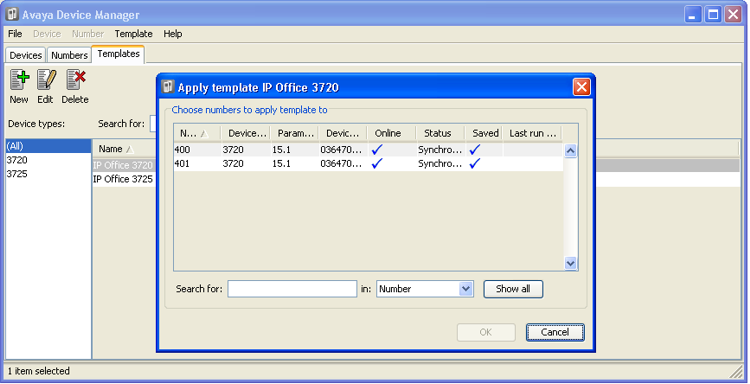
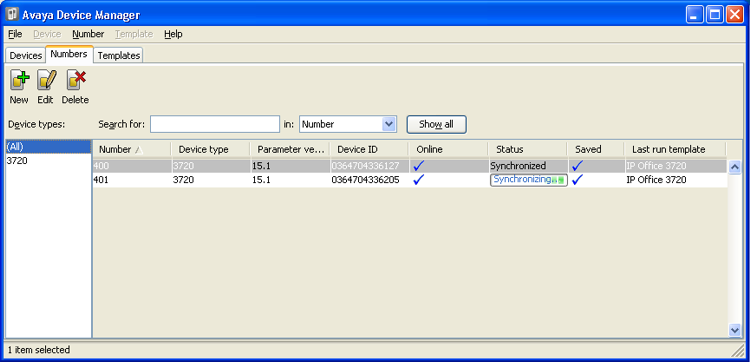
- Select the phones to which you want the template to be applied. Click OK. The phones will begin uploading the template file.
ADDITIONAL INFORMATION: