

AVAYA DOCUMENTATION CENTER
Find answers to your technical questions and learn how to use our products
Maintenance Procedures for Communication Manager, Branch Gateways and Servers
Resolving a user reported problem
About this task
Use this procedure to resolve a reported problem of a user within the system.
Procedure
- After you have collected the required information about the reported problem. Look up connection/configuration information (status station) as shown in the figure through the figure.
Note:
Different fields might appear on this screen, and some fields might appear on different pages depending on your system configuration. The figure is an example only.
Figure : 1. Status station form, page 1
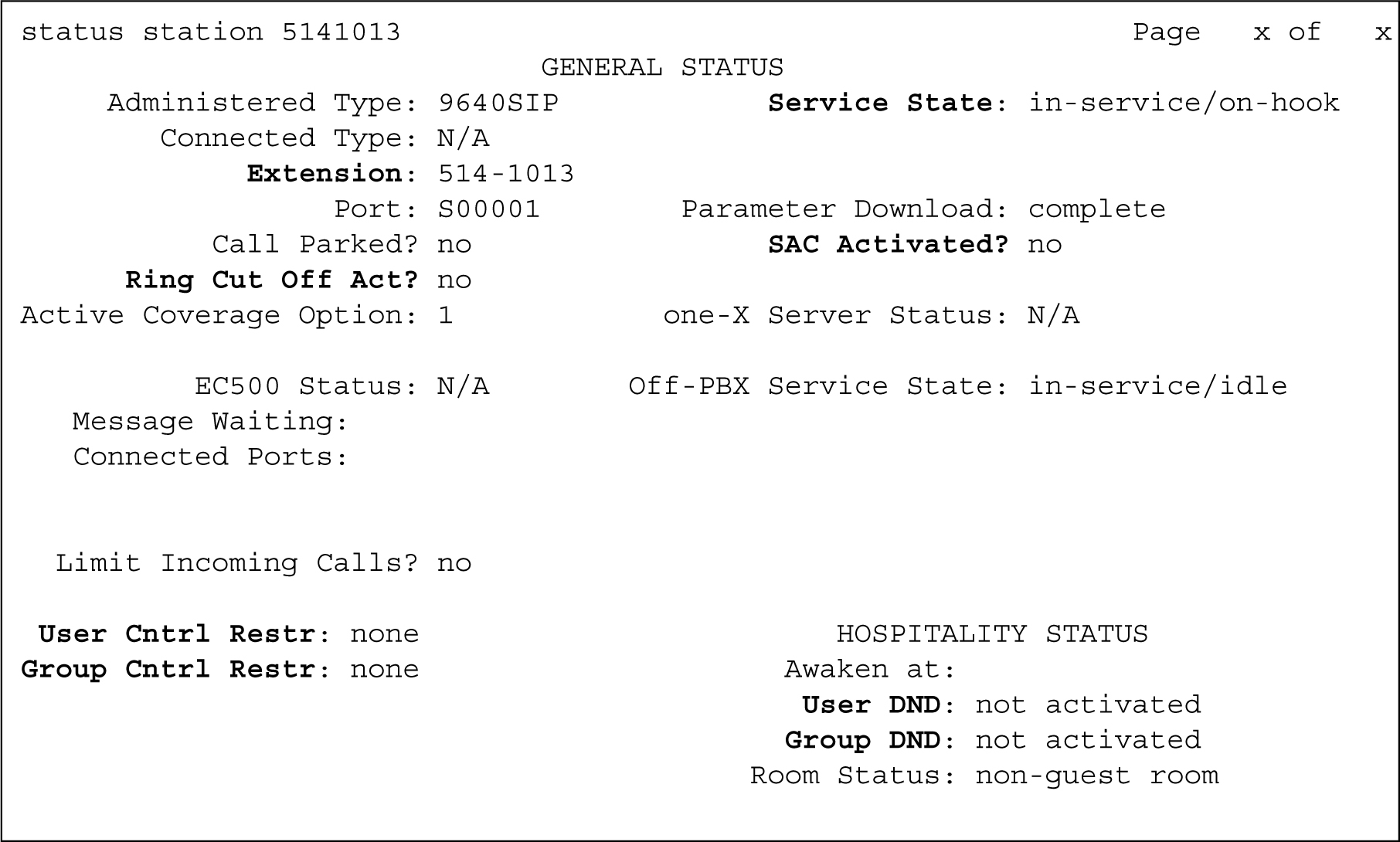
- Perform the following to resolve the issue:
- Scroll to the GENERAL STATUS section of the form.
Figure : 2. Status station form, page 2
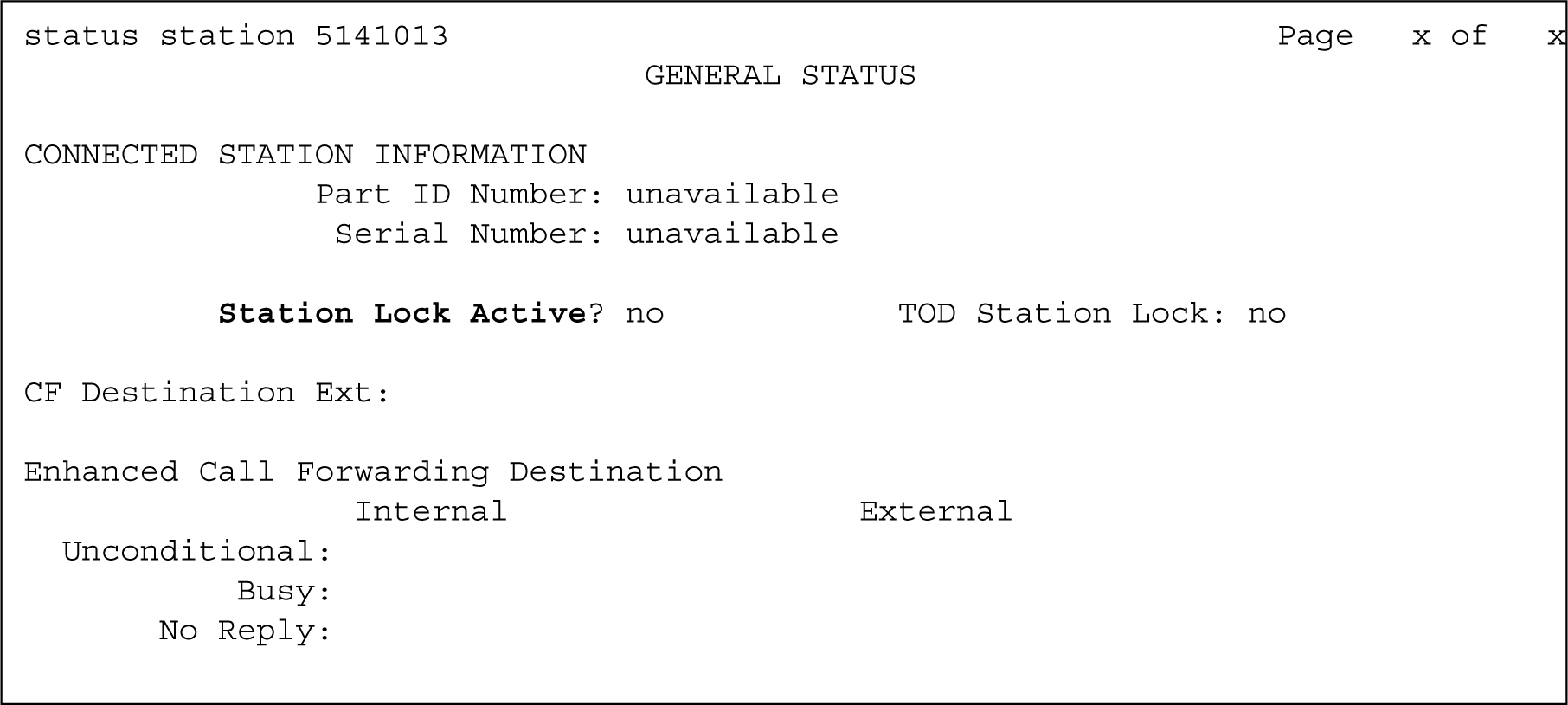
- Scroll to UNICODE DISPLAY INFORMATION section of the form.
Figure : 3. Status station form, page 3
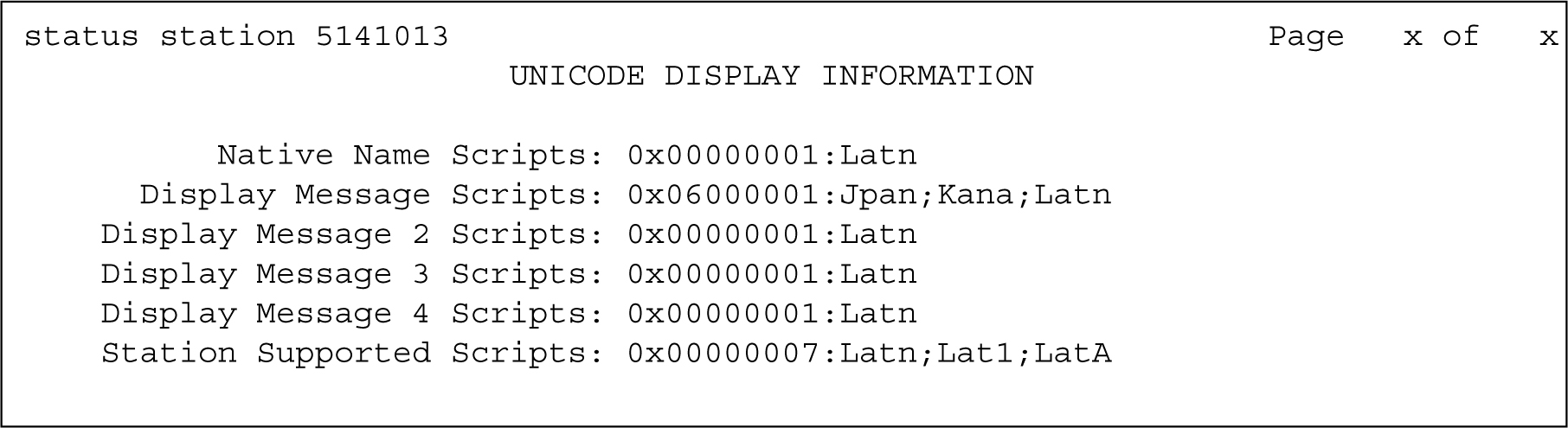
- Scroll to ATM VPI.VCI DATA section of the form.
Figure : 4. Status station form, page 4
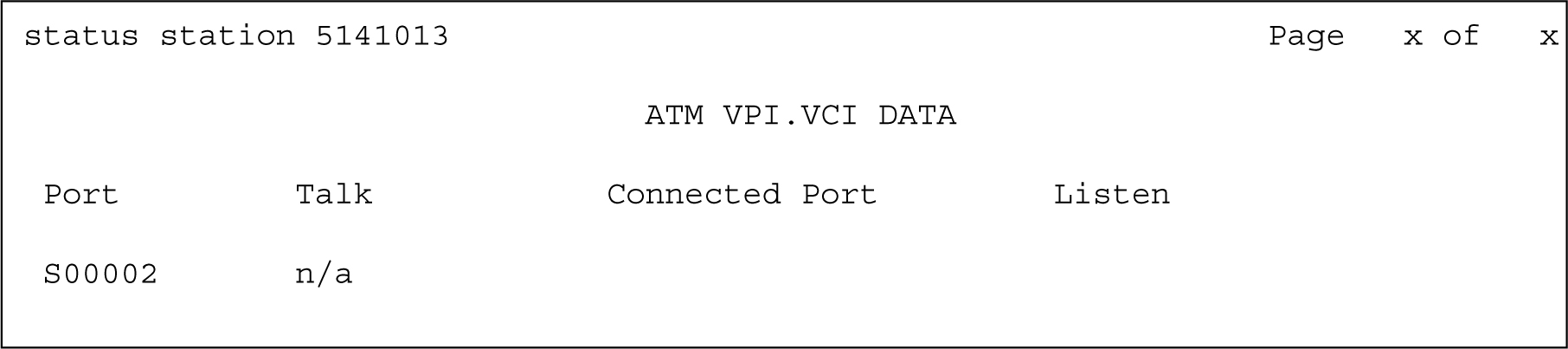
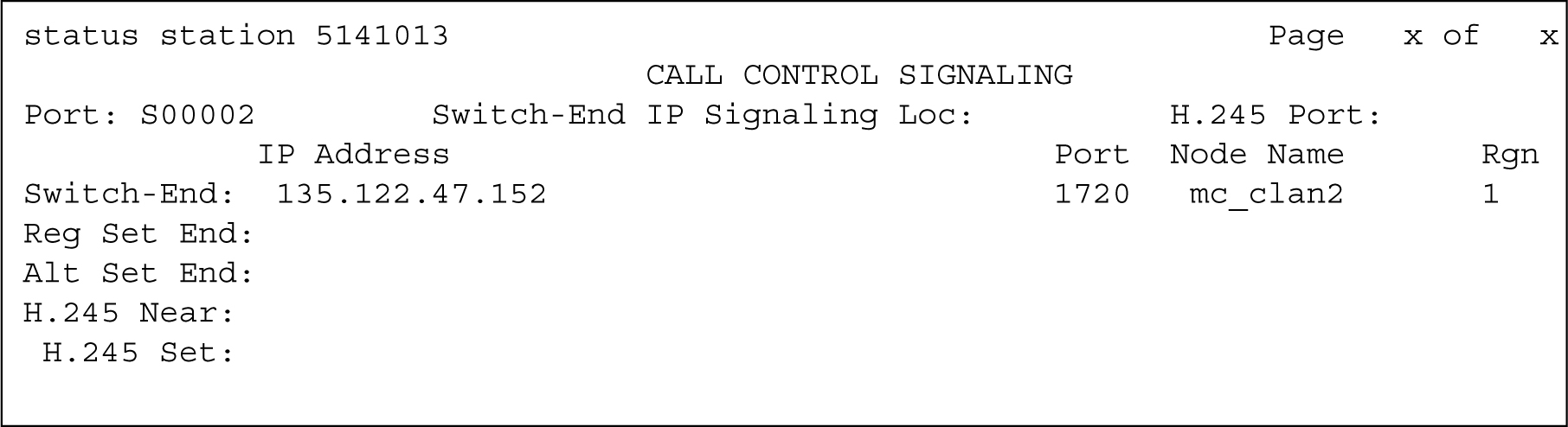
- Scroll to CALL CONTROL SIGNALING section of the form.
Figure : 5. Status station form, page 5
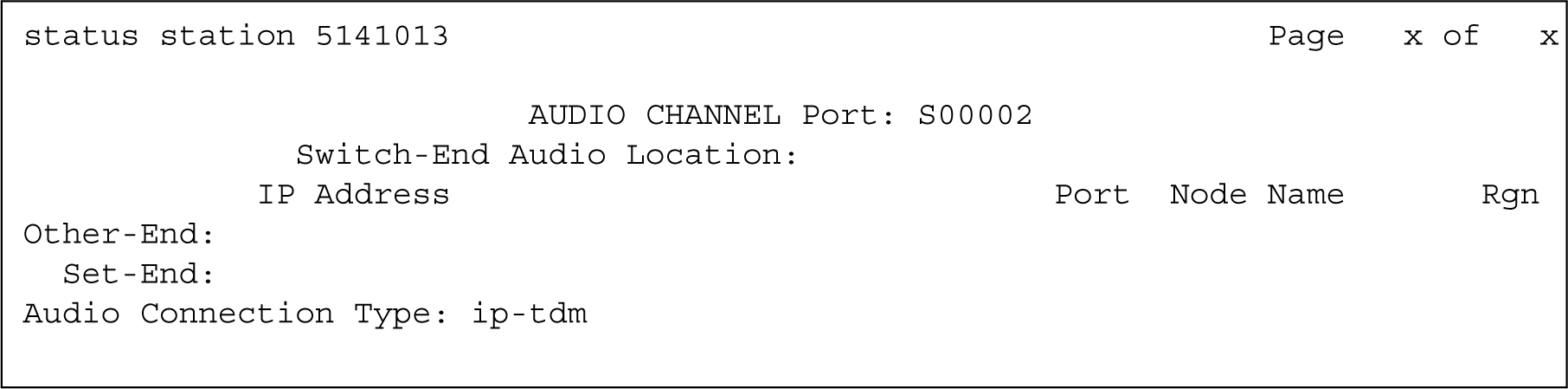
- Scroll to Audio section of the form.
Figure : 6. Status station form, page 6
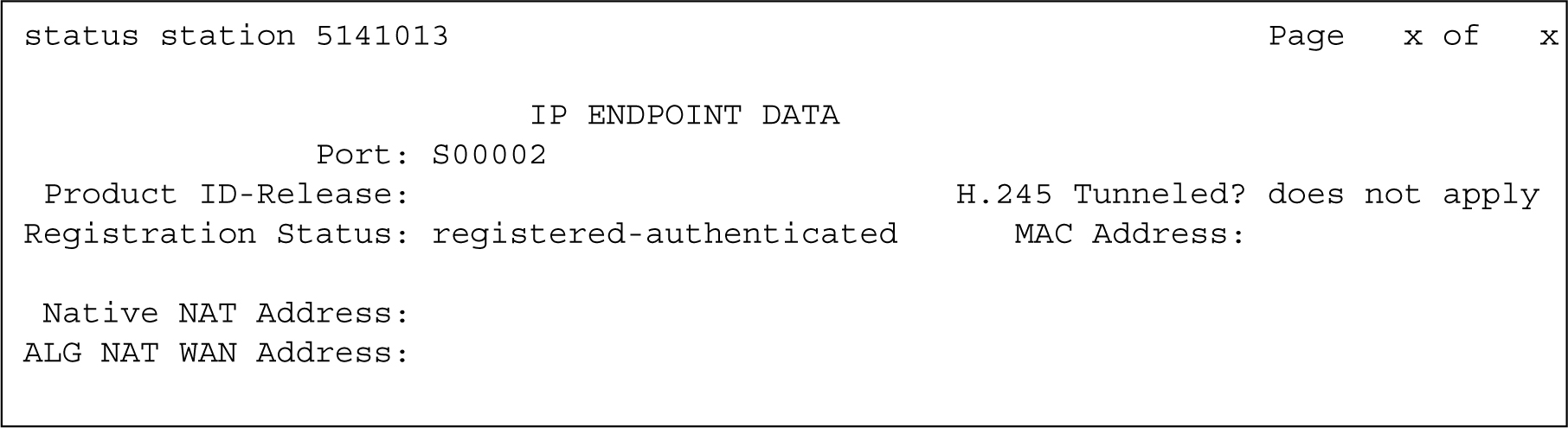
- Scroll to IP ENDPOINT DATA section of the form.
Figure : 7. Status station form, page 7
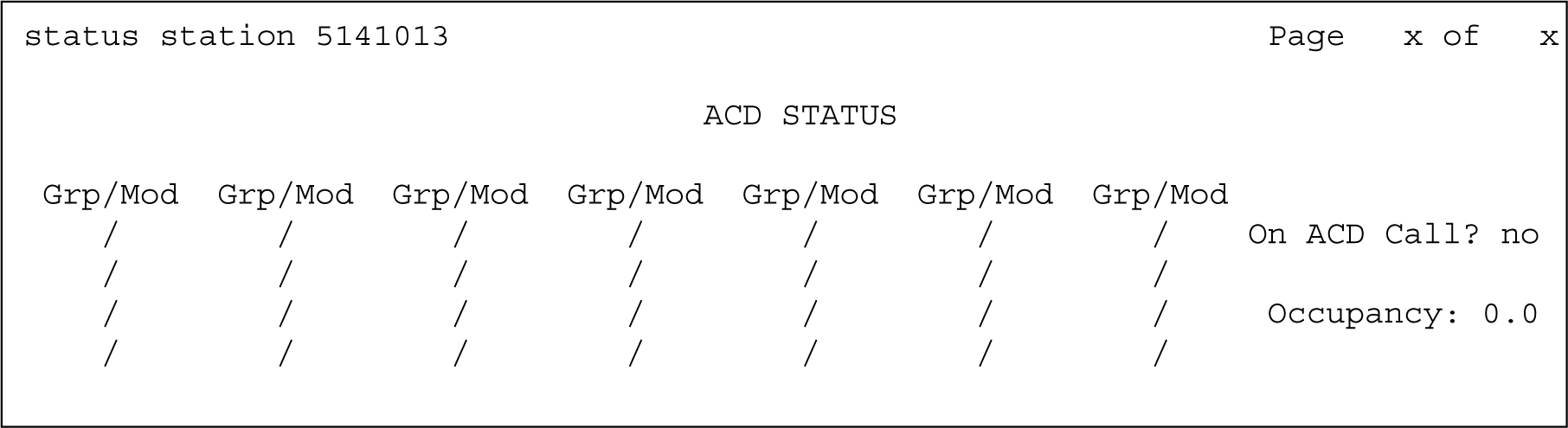
- Scroll to ACD STATUS section of the form.
Figure : 8. Status station form, page 8
- Scroll to the GENERAL STATUS section of the form.