

AVAYA DOCUMENTATION CENTER
Find answers to your technical questions and learn how to use our products
Maintenance Procedures for Communication Manager, Branch Gateways and Servers
Linux access security log
The Linux access security log lists:
Successful and rejected logins/logoffs from either the Web interface or SAT.
Note:This log does not report access or changes to the Web interface; these appear in the HTTP/web access log.
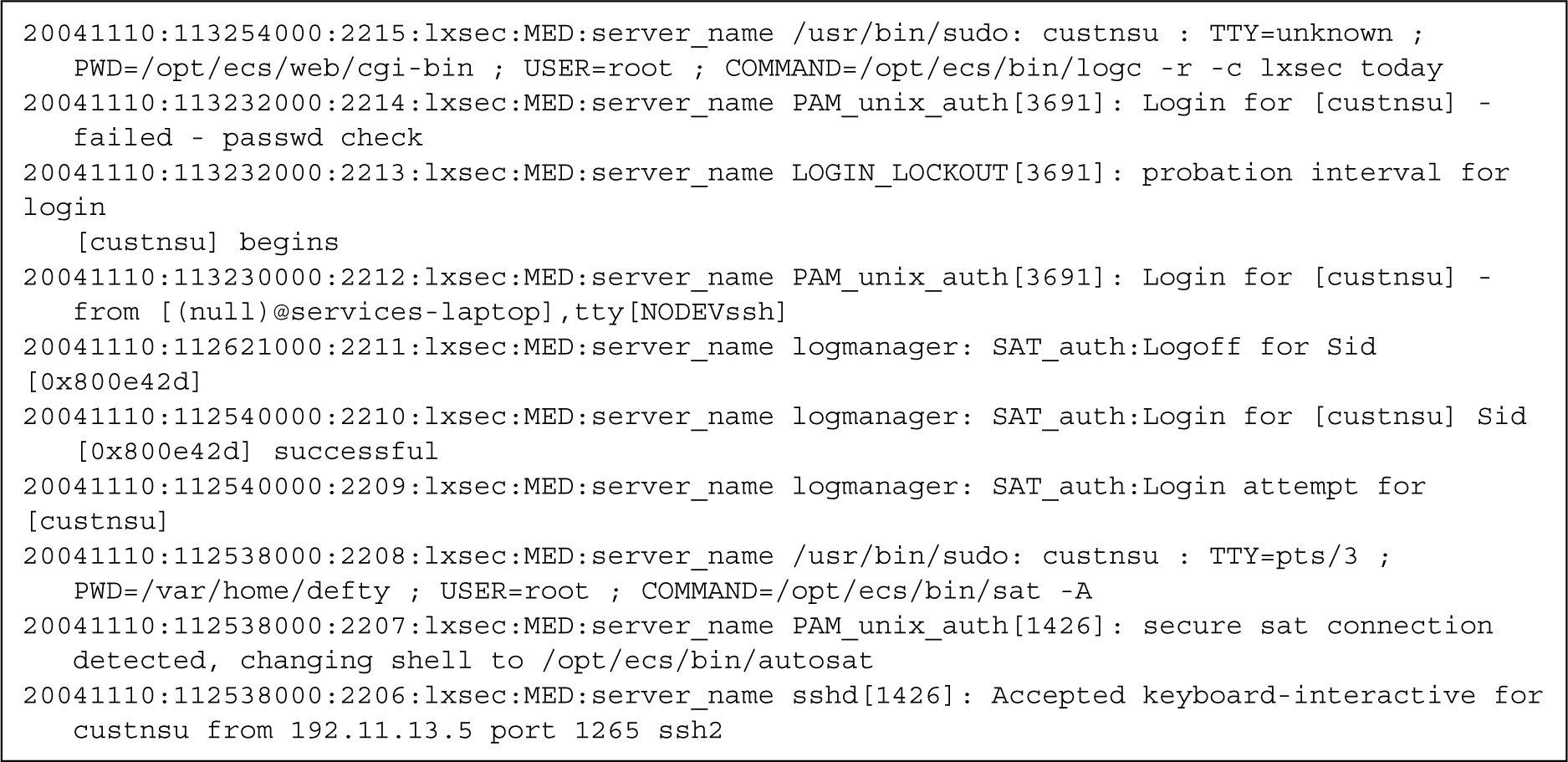
At the first incorrect login, the log entry reads …LOGIN_LOCKOUT…probation interval for login [login] begins, indicating that a timer has started.
If the user successfully logs in following a login rejection, the timer expires as indicated by …LOGIN_LOCKOUT probation interval for [login] ends.
If there are four incorrect logins within 10 minutes, that login is locked out, indicated by …login for [login] – failed – user locked out in the log. To change these parameters, use the information in userlock.
…failed password check indicates that the user entered the wrong password.
Login account is indicated in brackets, for example [craft].
System originating the request.
Figure : 1. Sample log: failed Secure Shell SAT login
What to look for in this log
Login entries without
successfulare attempts only; you can use the Match Pattern utility at the bottom of the page to search on “failed.”Entries containing
rootorsrootindicate activity at the Linux root level. Ensure that root access is closely monitored:20041109:114051000:4270:lxsys:MED:server_name PAM_unix_auth[22971]: Login for [sroot] - successfulASG only: question any login from an IP address other than that for the ASG Guard:
20041109:113504000:4255:lxsys:MED:server_name PAM_unix_auth[21826]: Login for [ION] - from [(null)@123.456.789.87], tty[NODEVssh]
Other considerations
You cannot set an SNMP trap to monitor login/security violations.