

AVAYA DOCUMENTATION CENTER
Find answers to your technical questions and learn how to use our products
Maintenance Procedures for Communication Manager, Branch Gateways and Servers
Trunk group alarm options
You can use the pages 3 to 22 of the Alarm Reporting Options to group trunk groups and to administer a collective alarm reporting strategy. For example, the Trunk group alarm options page shows the first 100 trunk groups by number.
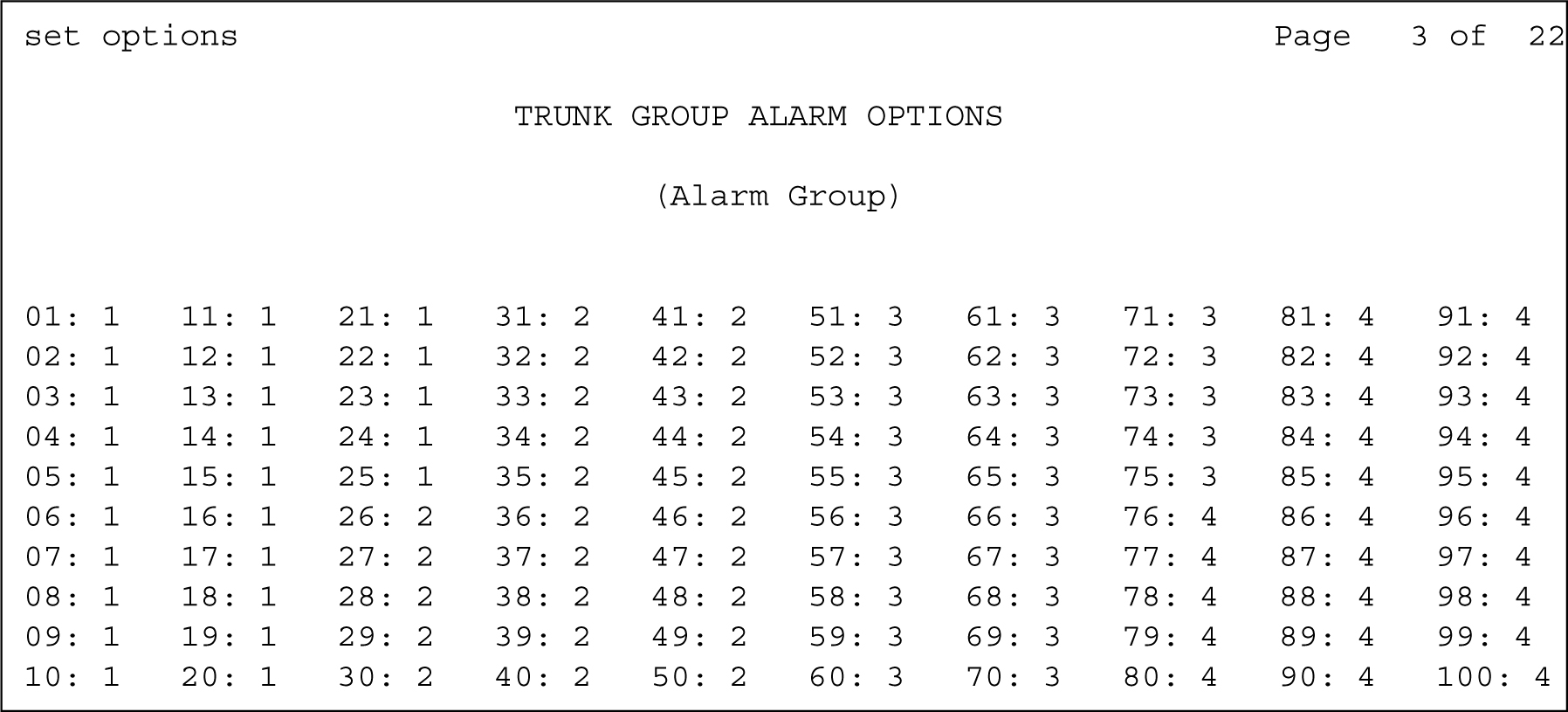
In this screen trunk groups 1-100 report alarms to the Alarm Log in the following ways:
Trunk groups 1-25 are assigned to Alarm Group 1: On-board alarms report as-is (major and minor). See the On-board Trunk Alarms (Alarm Group 1) field in Set options form). Both major and minor off-board alarms are downgraded to the warning alarms.
Trunk groups 26-50 are assigned to Alarm Group 2: Major on-board alarms report as minor alarms, and minor alarms report as warning alarms (On-board Trunk Alarms (Alarm Group 2) field in Set options form). Both major and minor off-board alarms are downgraded to warning alarms.
Trunk groups 51-75 are assigned to Alarm Group 3: Major on-board alarms report as-is to the Alarm Log, and minor alarms report as warning alarms (On-board Trunk Alarms (Alarm Group 3) field in Set options form). Both major and minor off-board alarms are downgraded to warning alarms.
Trunk groups 76-100 are assigned to Alarm Group 4: Major on-board alarms are not reported to the Alarm Log, and minor alarms report as warning alarms (On-board Trunk Alarms (Alarm Group 4) field in Set options form). Both major and minor off-board alarms are downgraded to warning alarms.