AVAYA DOCUMENTATION CENTER
Find answers to your technical questions and learn how to use our products
Maintenance Procedures for Communication Manager, Branch Gateways and Servers
Administering logging levels in Communication Manager
About this task
Note:
The defaults in Communication Manager’s Logging Levels form produce the same amount and type of logging as Communication Manager releases prior to Release 4.0.
In case you do not want all SAT activities logged, you can select the activities to monitor by administering the Logging Levels form. Use this procedure to administer logging levels in Communication Manager.
Procedure
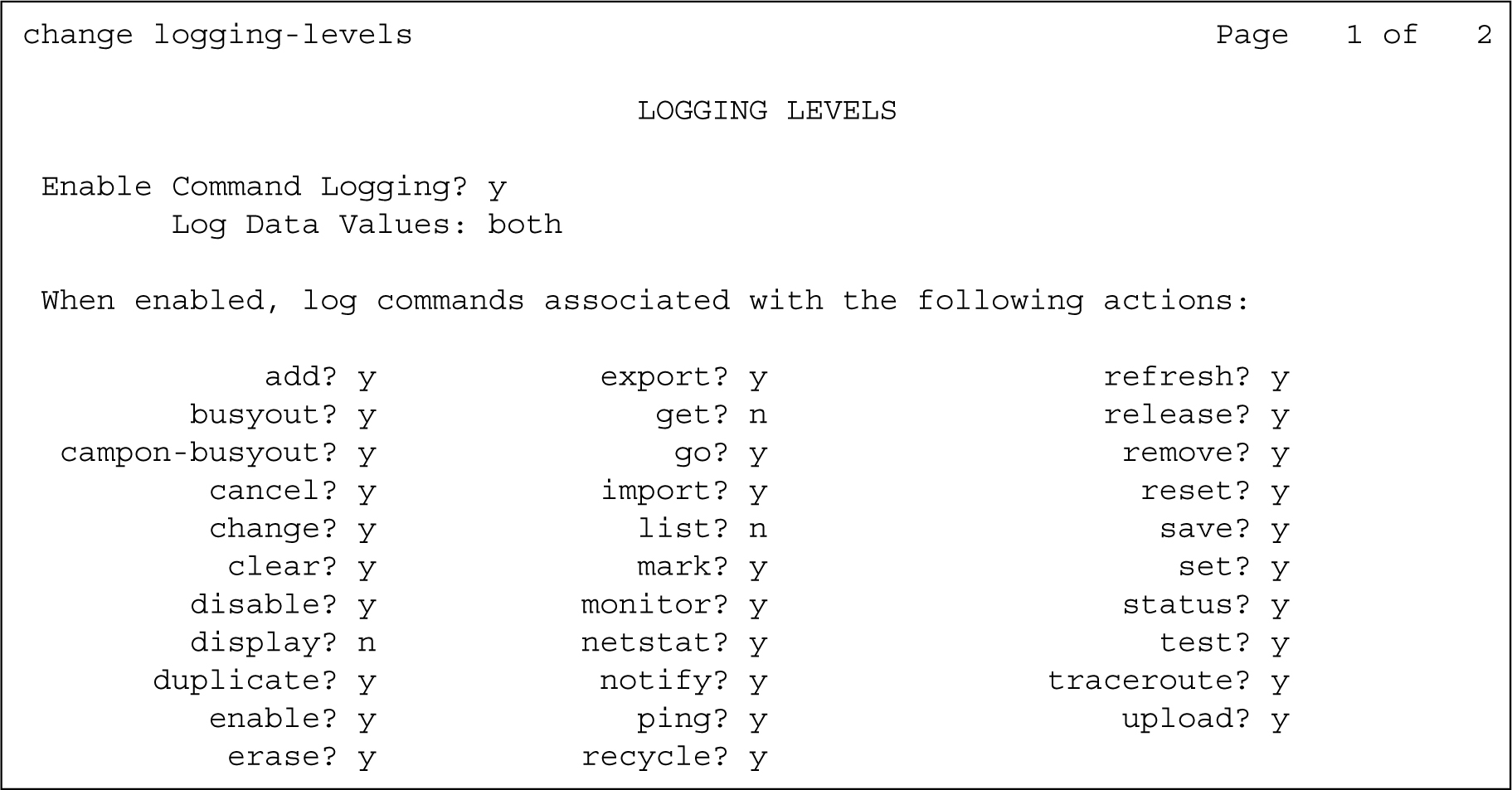
- Administer the fields on page 1.
To administer the fields, refer to Logging Levels form, page 1 field description table.
Figure : 1. Logging Levels form, page 1
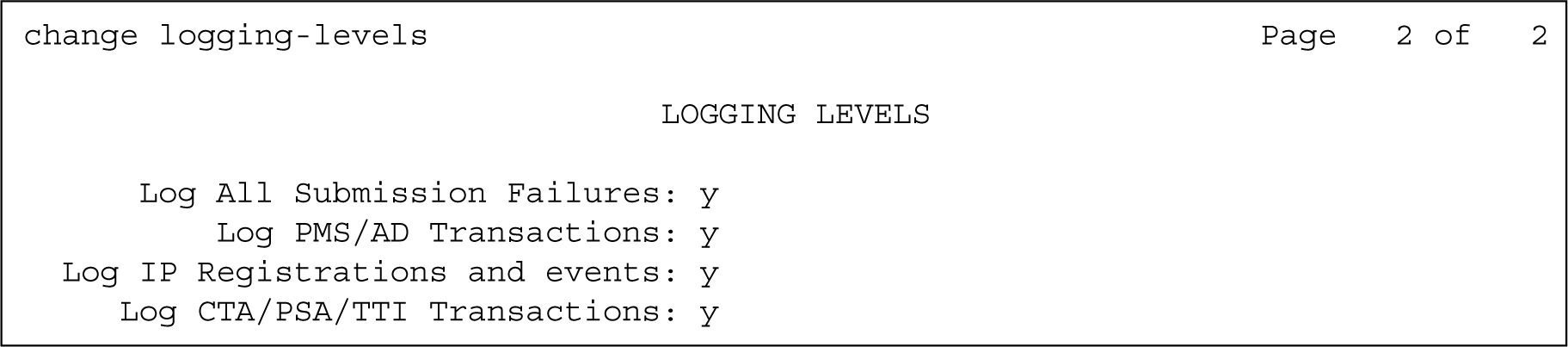
- Administer the fields on page 2.
To administer the fields, refer to Logging Levels form, page 2 field description table.
Figure : 2. Logging Levels form, page 2