AVAYA DOCUMENTATION CENTER
Find answers to your technical questions and learn how to use our products
Deploying Avaya Wireless DECT with IP Office
Configuring Air Sync in Separated Locations
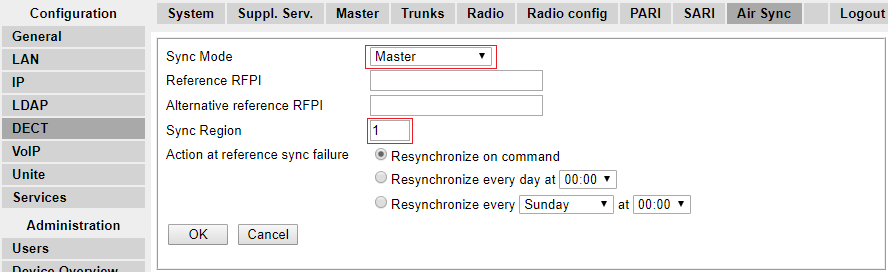
- For each base station in the system, configure a Sync Region number under the DECT | Air Sync tab in the Device Manager and click OK.
ADDITIONAL INFORMATION:All the base stations in a single region should contain the same Sync Region number, but each Sync Region must have its own unique number. By default, Sync Region = 0, which means that no region is defined.
- For each new Sync Region created, configure one base station as the Master using the Sync Mode drop-down menu and click OK.
ADDITIONAL INFORMATION:You must configure at least one master base station per region.