

AVAYA DOCUMENTATION CENTER
Find answers to your technical questions and learn how to use our products
Administering Avaya G430 Branch Gateway
Multi VLAN binding
Multi VLAN binding, also known as Multiple VLANs per port, allows access to shared resources by stations that belong to different VLANs through the same port. This is useful in applications such as multi-tenant networks, where each user has a personal VLAN for privacy. The whole building has a shared high-speed connection to the ISP.
In order to accomplish this, Branch Gateway enables multiple VLANs per port. The available Port Multi-VLAN binding modes are:
Bound to Configured The port supports all the VLANs configured in the switch
Statically Bound The port supports VLANs manually configured on the port
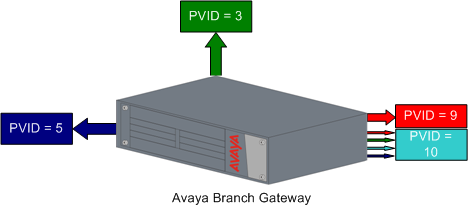
The following figure shows these binding modes.
Bind to Configured
The VLAN table of the port supports all the Static VLAN entries and all the ports’ VLAN IDs (PVIDs) present in the switch
VLANs 1, 3, 5, 9, 10 coming from the bus are allowed access through this port
All the ports in Bound to Configured mode support the same list of VLANs
Static Binding
The user manually specifies the list of VLAN IDs to be bound to the port, up to eight VLANs
Default mode for all ports
Only VLAN 9, and any other VLANs statically configured on the port will be allowed to access this port