AVAYA DOCUMENTATION CENTER
Find answers to your technical questions and learn how to use our products
Deploying and Upgrading Avaya G450 Branch Gateway
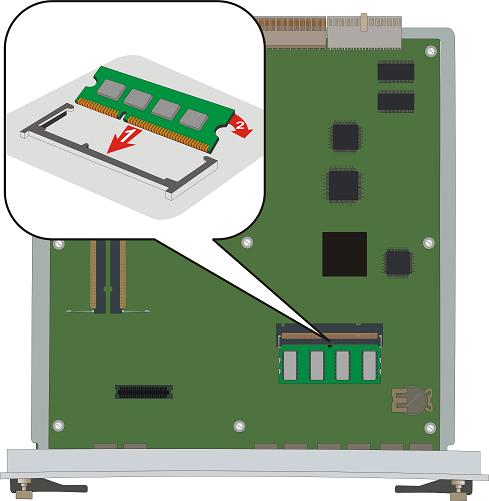
Replacing the G450 2.x and 3x RAM cards
About this task
Insert the RAM card into the first RAM slot (SODIMM A) only.
The G450 v4 does not require adding or replacing a RAM memory card.
Electrostatic discharge alert
Hold the module only by the edges to avoid damage from static electricity. Do not touch the top or bottom of the circuit board. If possible, wear a wrist strap and use an antistatic bag.
Procedure
- Flatten the RAM card so it is flush with the main board.