

AVAYA DOCUMENTATION CENTER
Find answers to your technical questions and learn how to use our products
Deploying and Upgrading Avaya G450 Branch Gateway
NVRAM Init
Perform an NVRAM Init only when you cannot access the Branch Gateway, for example when the Branch Gateway resets continuously.
Important:
Performing the NVRAM Init restores the Branch Gateway to its initial state with the default settings.
You can perform an NVRAM initialization using a jumper on the Branch Gateway main board.
Voltage:
Disconnect the Branch Gateway from the external power source before proceeding.
Electrostatic discharge alert
Do not touch any components on the printed circuit board except when installing or removing the bridge for the jumper pins.
Proposed Solution
Procedure
- Locate the NVRAM init jumper towards the front of the Branch Gateway main board.
- In Branch Gateway 1.x, the jumper is labeled P5 .
Figure : 1. NVRAM INIT Jumper in the G450 Branch Gateway 1.x 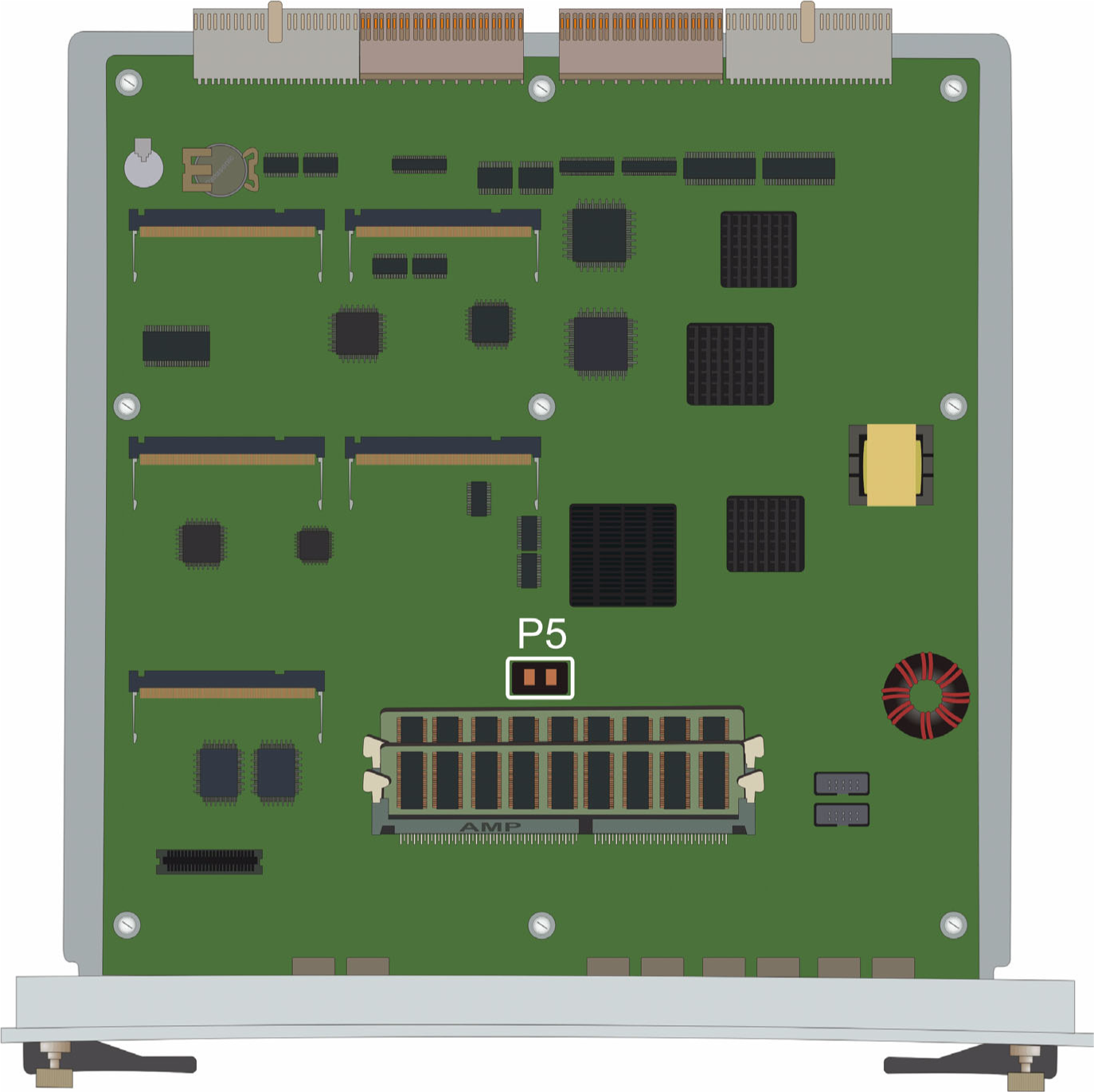
- In Branch Gateway 2.x and 3.x, the jumper is labeled NVRM_INIT.
Figure : 2. NVRAM INIT Jumper in G450 Branch Gateway 2.x, 3.x and approximate position in 4.x 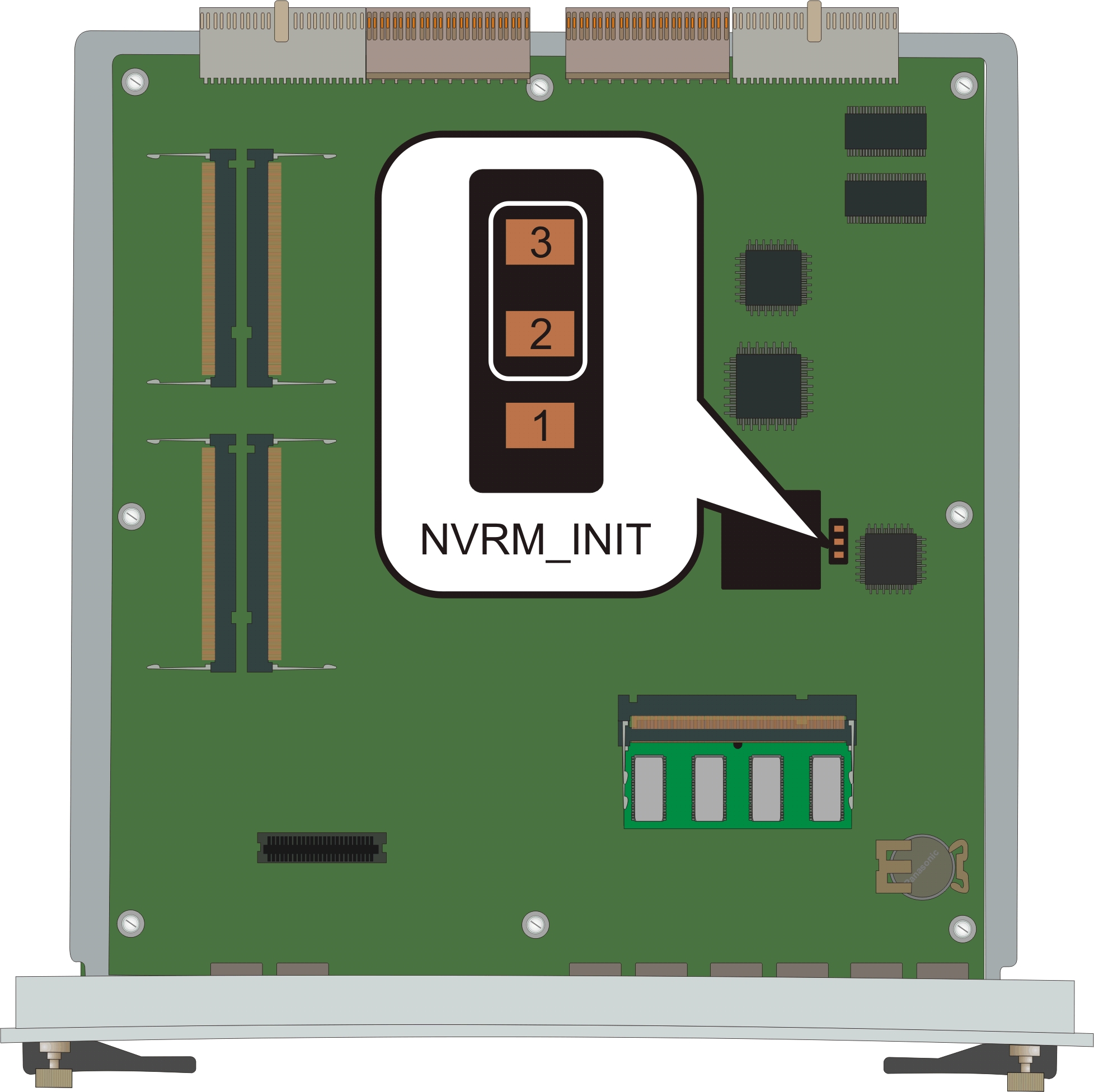
- In Branch Gateway 1.x, the jumper is labeled P5 .