AVAYA DOCUMENTATION CENTER
Find answers to your technical questions and learn how to use our products
Deploying and Upgrading Avaya G450 Branch Gateway
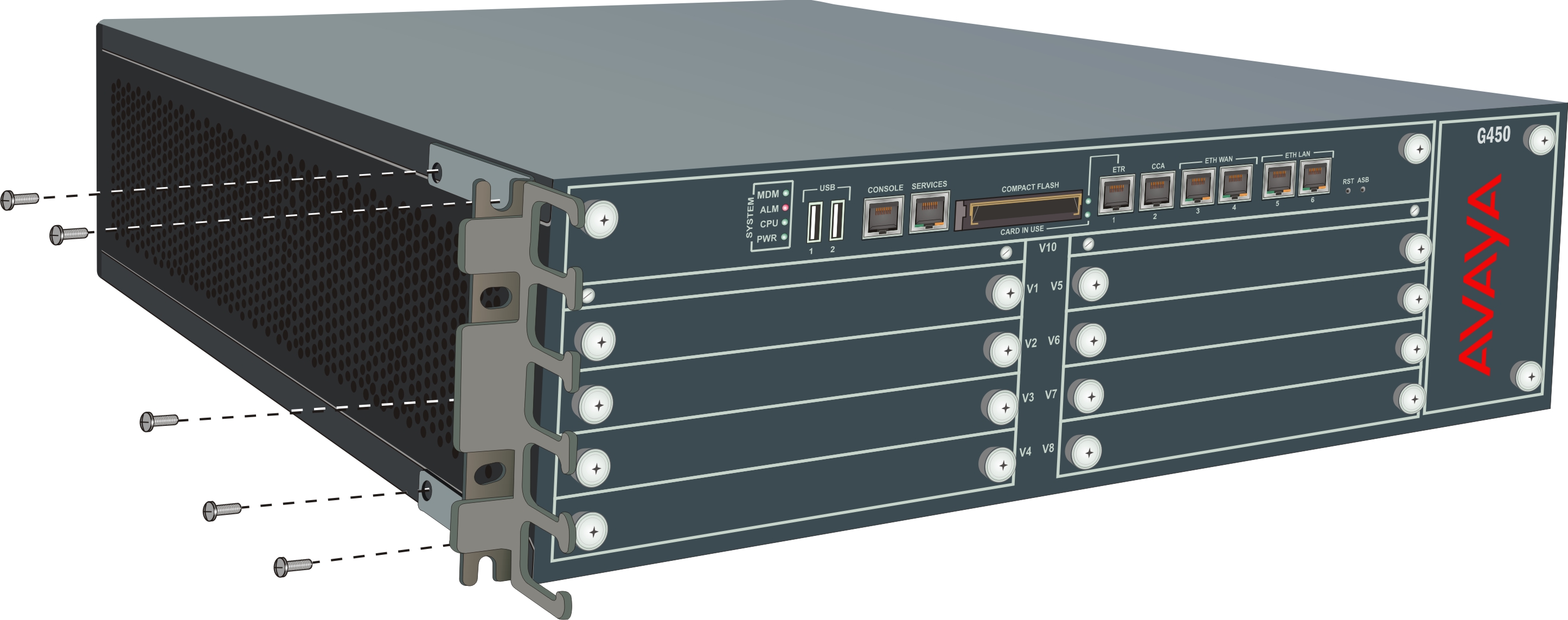
Brackets with cable guides
You can attach a mounting bracket with cable guides to the front of Branch Gateway on one side. If you fasten the chassis to the rack at the front, use the mounting bracket with cable guides as a front bracket.
If you fasten the chassis to the rack at the middle, use the mounting bracket with cable guides at the chassis front together with two regular mounting brackets on chassis sides. In this case, the mounting bracket with cable guides serves for cable management only: You do not need to fasten it to the rack.
Note:
It is recommended to attach the mounting bracket with cable guides to the left side of the rack, so that the cables will not interfere when you replace the fan tray. However, if you are installing an MM717 or MM716 media module, attach the mounting bracket with cable guides to the right side of the rack, to support the weight of the amphenol cable.