AVAYA DOCUMENTATION CENTER
Find answers to your technical questions and learn how to use our products
Implementing and Administering Avaya Aura® Media Server
Reviewing the PVI Check results
About this task
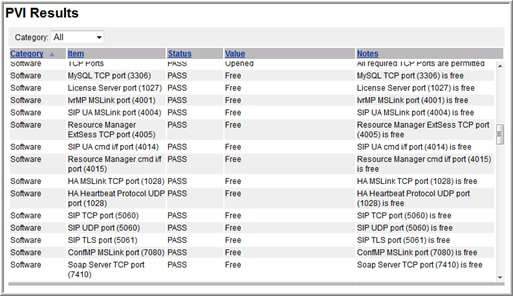
Using EM, you can review the hardware, software, and storage inspection reports generated during the Avaya Aura® MS installation.
The Platform Vendor Independent Check (PVI Check) software ensures that the server and the configured operating system meet the hardware, software, and storage requirements for Avaya Aura® MS.
PVI Check is integrated into the Avaya Aura® MS installer and produces a report that is stored in the system for reference.
Procedure
- Refine the scope of the result by using the Category drop-down menu on the PVI Results page. You can sort the results by clicking on any column title.