AVAYA DOCUMENTATION CENTER
Find answers to your technical questions and learn how to use our products
Implementing and Administering Avaya Aura® Media Server
Determining peak session traffic
About this task
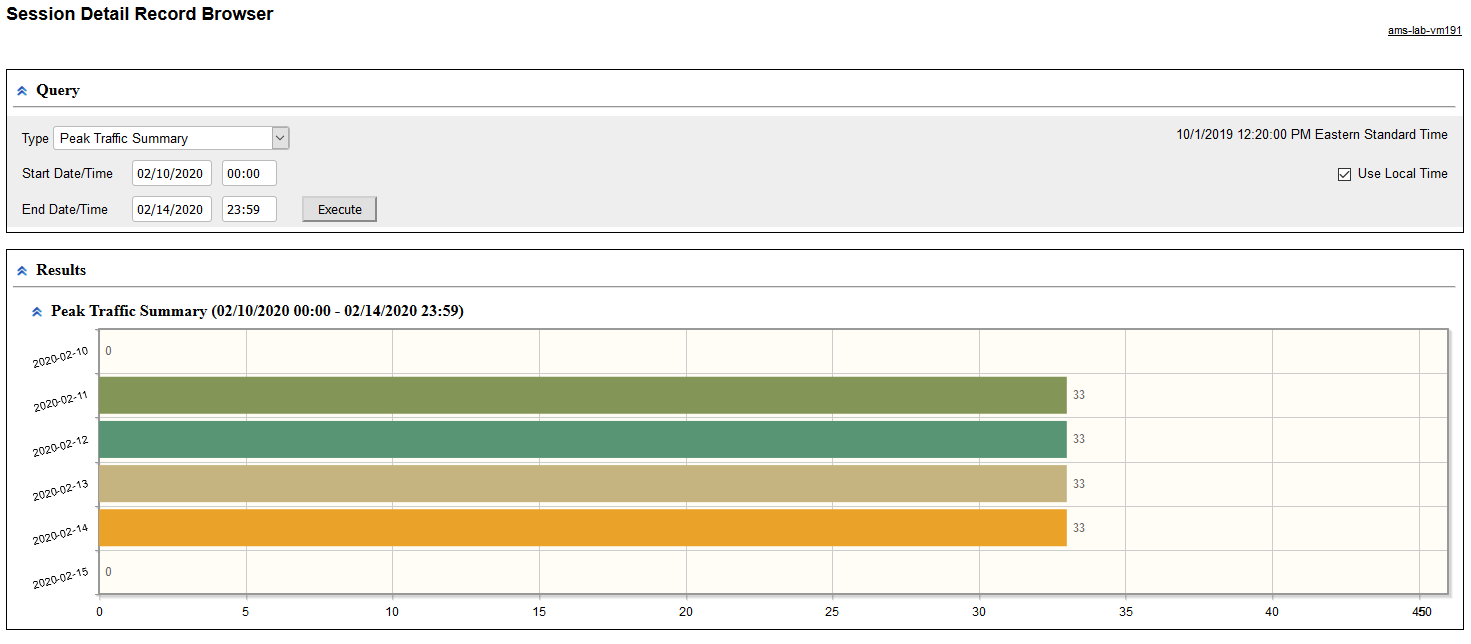
Perform the following procedure to generate a graphical report representing the peak number of sessions processed by the Avaya Aura® MS each day:
Procedure
- Click Execute to run the new query and generate a graphical Peak Traffic Summary.
Move your cursor over any bar graph element to see the peak number of sessions for each day.