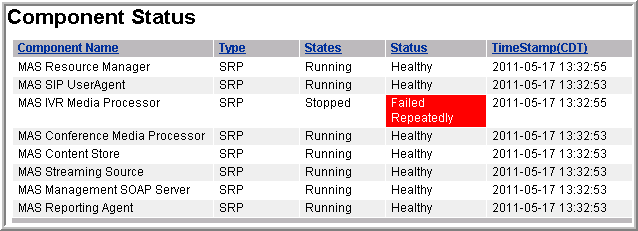
Perform the following procedure to view the operational state of individual Avaya Aura® MS components:
Procedure
Navigate to EM > System Status > Monitoring > Advanced > Component Status.
In the content pane of EM, the Component Status page displays information about the operational state of individual components of Avaya Aura® MS.
You cannot perform any actions on the listed components. The information is useful for diagnosing and isolating system problems when working with Avaya support.