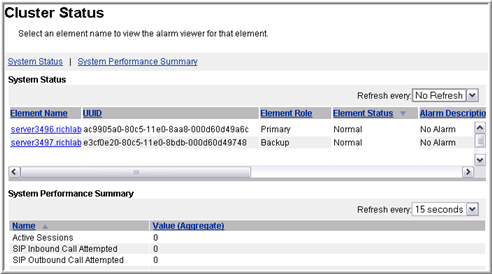
The system displays the Cluster Status page with the operational state of the cluster and the member elements.
Procedure
Navigate to EM > System Status > Cluster Status.
Scroll through the System Status pane to view the columns and the status of each element.
The System Performance Summary pane is present under the System Status pane. The Key Performance Indicators listed are an aggregate of all the cluster elements and represent the cluster as a whole.
The System Performance Summary pane is available only on Primary servers and displays only the operational measurements that are configured as Key Performance Indicators (KPIs).
Click the Element Name of an individual element in the System Status pane.
The system displays the detailed alarm information for that particular element.