AVAYA DOCUMENTATION CENTER
Find answers to your technical questions and learn how to use our products
Implementing and Administering Avaya Aura® Media Server
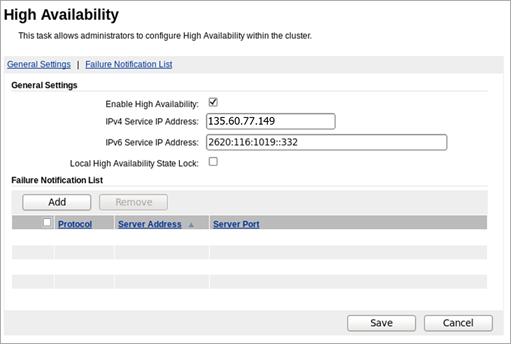
Enabling High Availability
About this task
Use this procedure to configure the floating IPv4 (and optionally, IPv6) address on both the Primary and the Backup servers and to activate High Availability.
Before you begin
Configure the Primary and the Backup servers.
Obtain the desired floating IP addresses designated for the service provided by the media servers.
Ensure that both the Primary and the Backup Avaya Aura® MS use a common Network Time Protocol (NTP) server for clock synchronization.
Procedure
- Select Enable High Availability.