AVAYA DOCUMENTATION CENTER
Find answers to your technical questions and learn how to use our products
Implementing and Administering Avaya Aura® Media Server
Viewing security logs
About this task
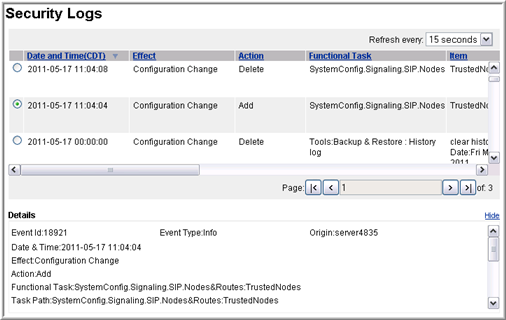
Using security logs, you can track all configuration changes to the system. Security logs contain details about changes to the system. The tracked changes include:
Exact configuration item that was changed.
Old and the new values.
Time of the change.
IP address of the user who made the change.
Perform the following procedure to gain access to the saved Avaya Aura® MS Security Logs:
Procedure
- Select a security log.
The system displays details of the log in the lower part of the page.
Use the vertical and horizontal scroll bars to view information.