

AVAYA DOCUMENTATION CENTER
Find answers to your technical questions and learn how to use our products
Implementing and Administering Avaya Aura® Media Server
Configuring the Primary server for High Availability
About this task
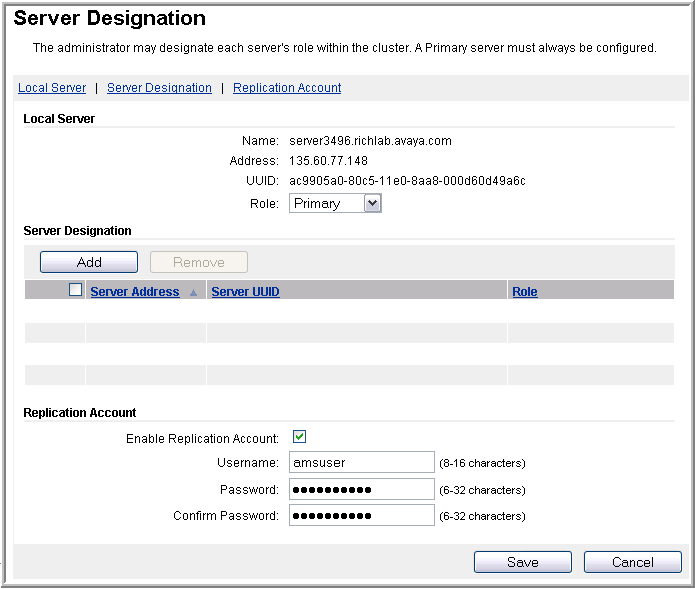
Using EM, perform the following procedure to configure the role of Avaya Aura® MS as a Primary server in a 1+1 High Availability cluster:
Before you begin
Deploy two media servers to be configured as the Primary and Backup servers.
Ensure to replace the default staging certificates. See Replacing Default Staging certificates for the procedure.
The Primary and Backup servers must have identical configuration so that either server can take over the full media processing load. Ensure that the servers in this cluster meet the 1+1 High Availability requirements listed at the beginning of this section.
Ensure that the system is configured with a license.
Procedure
- In the Local Server section, set the Role to Primary.
Next Steps
Deploy and configure a Backup server for High Availability.