AVAYA DOCUMENTATION CENTER
Find answers to your technical questions and learn how to use our products
Implementing and Administering Avaya Aura® Media Server
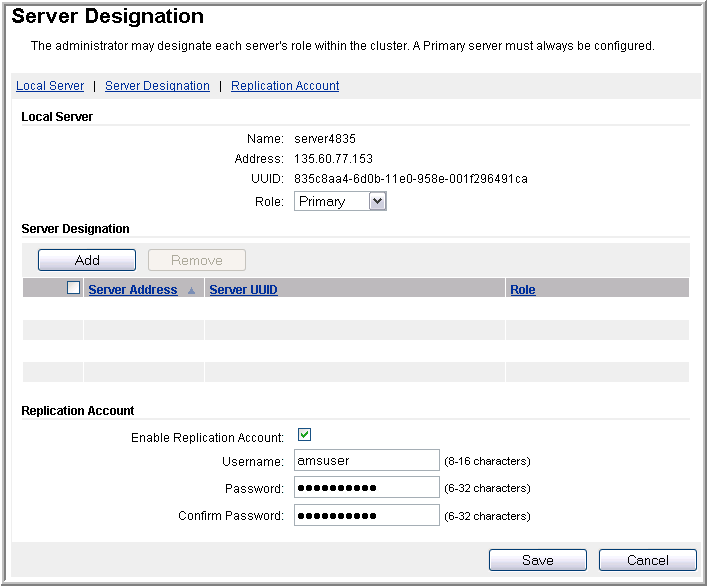
Configuring a Primary server for a cluster
About this task
Using EM, perform the following procedure to configure Avaya Aura® MS as the Primary server in an N+1 Load Sharing cluster.
Before you begin
Ensure to replace the default staging certificates. See Replacing Default Staging certificatesReplacing Default Staging certificates for the procedure.
Procedure
- To designate a server as primary, navigate to .