

AVAYA DOCUMENTATION CENTER
Find answers to your technical questions and learn how to use our products
Administering Avaya Experience Platform™ Public Cloud
Application Center Administration overview
Application Center Administration is a management interface where you configure all your contact center components, such as organizational data, templates, and users.
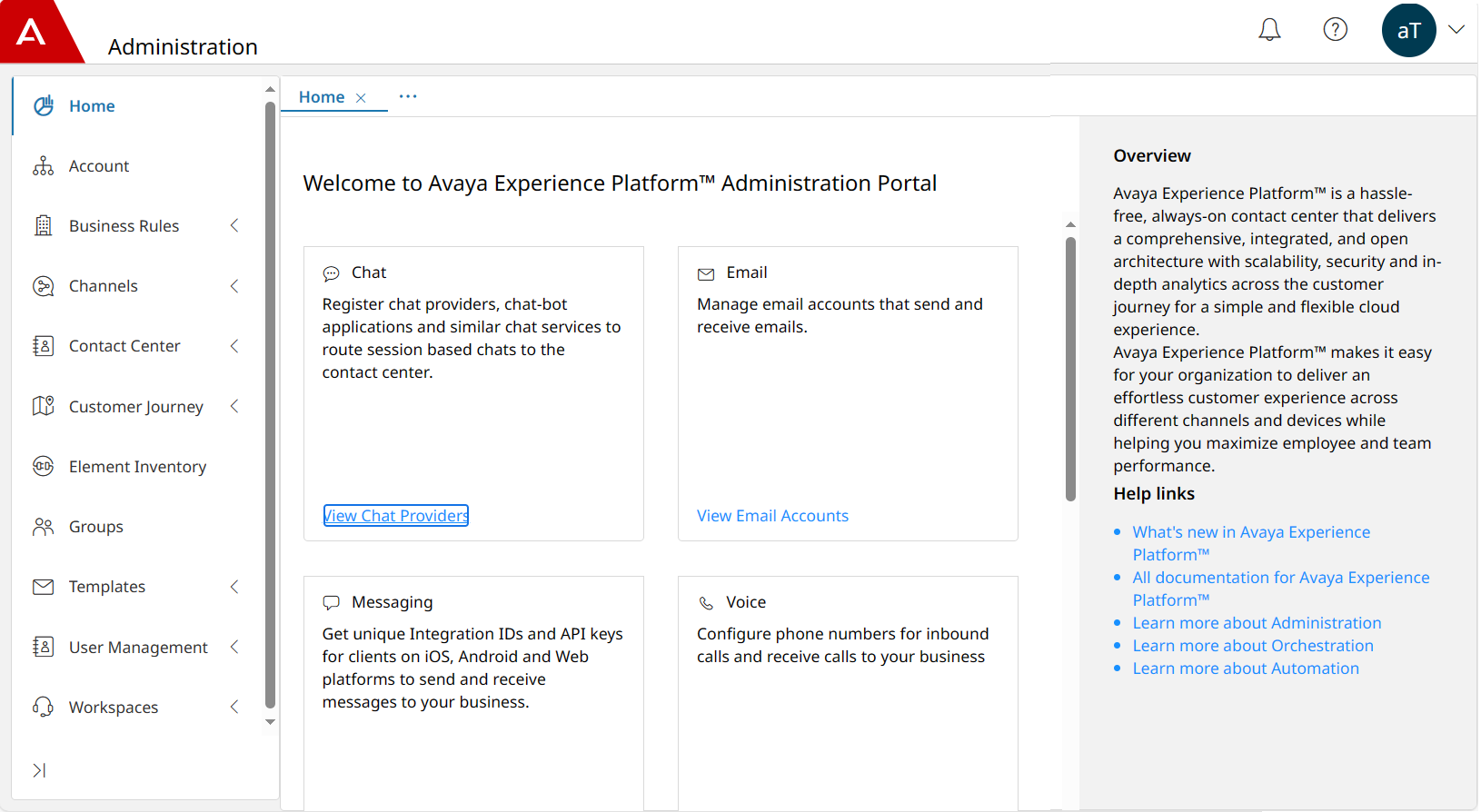
In Application Center Administration, you can configure the following tabs:
-
Home: quick access to the configuration of chat, email, and voice channels, profiles, and users.
-
Account: configuration of the organizational data, including the multilevel hierarchy of locations, departments, and teams.
-
Business Rules: management of business rules to collect data about incoming interactions and rules to configure keywords to identify email interactions.
-
Channels: management and routing configurations of voice, chat, email, and messaging channels.
-
Contact Center: creation and configuration of contact center resources, such as attributes, customer identifiers, queues, reason codes, and timetables.
-
Customer Journey: configuration of the timeline viewer for agents to display Customer Journey details.
-
Element Inventory: configuration of elements, such as Security Assertion Markup Language (SAML) and digital chat connectors for available channels.
-
Groups: creation of groups that you can use to sort users and data within your contact center.
-
Templates: creation of templates that agents can use to improve efficiency and simplify the handling of digital interactions.
-
User Management: creation and management of user profiles for contact center agents and supervisors.
-
Workspaces: configuration of Workspaces Layout Manager, Screenpops, UX profiles, and Widget Manager.
In Application Center Administration, you can use the tabs in the navigation pane to switch between different menus.