

AVAYA DOCUMENTATION CENTER
Find answers to your technical questions and learn how to use our products
Using IP Office System Status
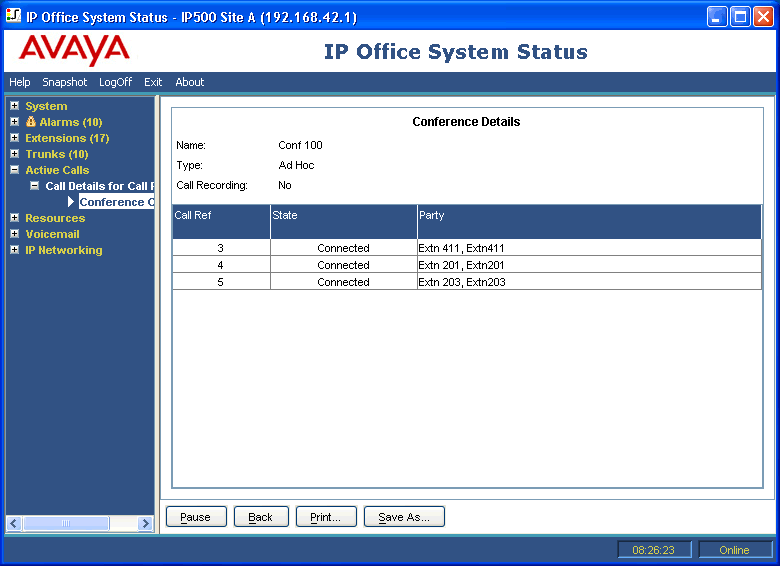
Conference Details
For a call in a conference, clicking the Conference Details button shows all connected calls in the conference and other conference information.
Buttons
The following buttons can appear on this screen:
Button |
Description |
|---|---|
Pause |
Stops the screen from updating. The button label and function changes to Resume when the screen is paused. |
Resume |
Resumes updating screen in real time. When pressed, the button label and function changes to Pause. |
Back |
Returns to the previous screen. |
Print... |
Prints all information available in the current screen (including any information currently scrolled off). |
Save As... |
Saves the information shown on the screen to a text file (TXT or CSV). You can only save trace screens as CSV text files. |