

AVAYA DOCUMENTATION CENTER
Find answers to your technical questions and learn how to use our products
Using IP Office System Status
Link Alarms
This screen shows alarms for non-trunk devices linked to the control unit such as expansion modules and extension devices. Current alarms appear in red.
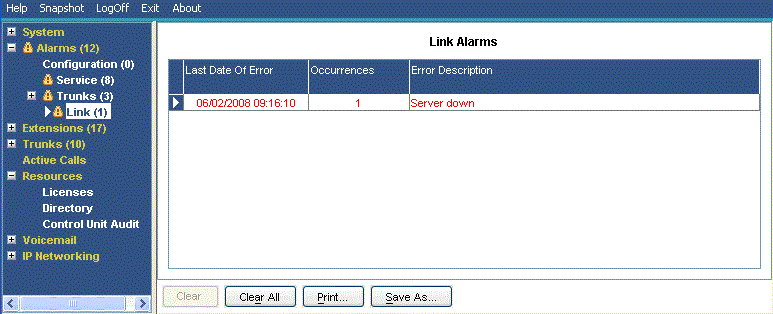
Information Displayed
Button |
Description |
|---|---|
Last Date of Error |
The last time the error that caused a particular alarm occurred. |
Occurrences |
How many times the alarm has occurred since the control unit was last restarted. |
Error Description |
A description of the error that caused the alarm. |
Buttons
The following buttons can appear on this screen:
Button |
Description |
|---|---|
Clear |
Clears the selected alarms. If the alarm is still active (red) it remains but with the occurrences count reset to 1. |
Clear All |
Clears all listed historical alarms that are no longer active. Note that any alarms still active (red) remain but with the occurrences count reset to 1. |
Print... |
Prints all information available in the current screen (including any information currently scrolled off). |
Save As... |
Saves the information shown on the screen to a text file (TXT or CSV). You can only save trace screens as CSV text files. |