

AVAYA DOCUMENTATION CENTER
Find answers to your technical questions and learn how to use our products
Using IP Office System Status
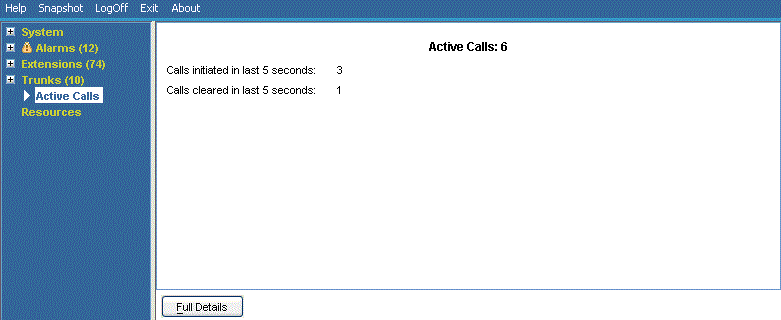
Reduced Active Calls
If you are viewing the Active Calls information for a heavily loaded system (using a communications link with insufficient bandwidth or running System Status with insufficient CPU power), System Status automatically reduces the amount of information displayed to accommodate the high call rate.
When the call initiation/setup rate has reduced, click the Full Details button to resume the full display. If you want to view active calls during a high load, use the snapshot facility to obtain a view of the system.
Buttons
The following buttons can appear on this screen:
Button |
Description |
|---|---|
Full Details |
Resume the full display of Active Calls from the reduced active calls state . |