

AVAYA DOCUMENTATION CENTER
Find answers to your technical questions and learn how to use our products
Using IP Office System Status
Utilization Summary
Path:
The menu provides a usage history for each trunk. Counts reset either when you click the Reset button or when the system reboots.
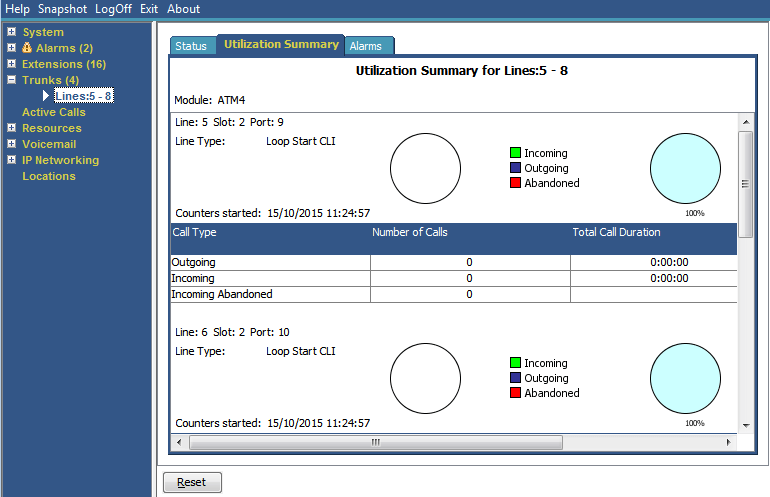
Name |
Description |
|---|---|
Module |
Type of trunk module. |
Line |
Line ID. |
Line Type |
See Line Protocols. |
Line Sub Type |
See Line Protocols. |
Counters Started |
Date and time the counts began. |
Calls Table |
Call Type
|
Number of Calls |
Total number of calls by call type. |
Total Call Duration |
Hours, minutes and seconds format. For outgoing calls, measured from the call start. For incoming calls, measured from call answer. |
Total Ring Time |
Hours, minutes and seconds format. |
Buttons
The following buttons can appear on this screen:
Button |
Description |
|---|---|
Reset |
Resets all utilization counters (number of calls and total duration) for the displayed trunk to 0. |