

AVAYA DOCUMENTATION CENTER
Find answers to your technical questions and learn how to use our products
Using IP Office System Status
Call Quality of Service
System Status can display QoS measurements for calls on external IP trunks. You can also enabled QoS reporting and alarms for extensions.
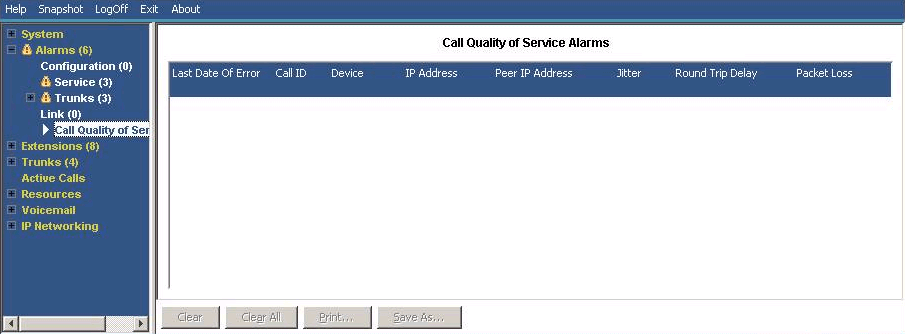
The QoS measurements shown by SSA are not full end-to-end call quality measurements. Whilst they can indicate potential problems, more accurate assessment requires the use of network monitoring tools such as Wireshark. Problem escalation to Avaya require a full network assessment as QoS issues can arise from a range of network factors other than the IP Office system.
When enabled, System Status displays QoS statistics for calls made by H323 IP extensions (1600, 4600, 5600 and 9600 Series) registered to the system. It also displays QoS statistics for other extension types when their call involves a VCM channel. The QoS information for the extension's current call appears in the Extension Status screen.
In the system configuration, you can configure alarm thresholds for jitter (default 20ms), round trip delay (default 350ms) and packet loss (default 0.5%). If a call exceeds any threshold, an alarm occurs reporting the device and call involved and the maximum values of the QoS measurements during the call.
Measure |
Description |
|---|---|
Round Trip Delay |
Default = 350 msec. Less than 160ms is high quality. Less than 350ms is good quality. Any higher delay is noticeable by those involved in the call. Depending on the codec used, some delay stems from the signal processing: G711 = 40ms, G723a = 160ms, G729 = 80ms. |
Jitter |
Default =20 msec. Jitter is a measure of the variance in the time for different voice packets in the same call to reach the destination. Excessive jitter will become audible as echo. |
Packet Loss |
Default = 0.5%. Excessive packet loss will be audible as clipped words and may also cause call setup delays. |
Buttons
The following buttons can appear on this screen:
Button |
Description |
|---|---|
Clear |
Clears the selected alarms. If the alarm is still active (red) it remains but with the occurrences count reset to 1. |
Clear All |
Clears all listed historical alarms that are no longer active. Note that any alarms still active (red) remain but with the occurrences count reset to 1. |
Print... |
Prints all information available in the current screen (including any information currently scrolled off). |
Save As... |
Saves the information shown on the screen to a text file (TXT or CSV). You can only save trace screens as CSV text files. |