AVAYA DOCUMENTATION CENTER
Find answers to your technical questions and learn how to use our products
Using IP Office System Status
Delay between Analog Line and Extension
Issue
An incoming analog line rings several times before presenting the call to an extension.
Action
If the analog trunk is configured to wait for caller ID (CLI/ICLID) information from the central office and the information is not being provided, there will be a delay between the time the line/trunk rings and the call being presented to the extensions.
Check the system configuration in IP Office Manager and ensure the analog trunk parameters are correct and that they match those provided by the central office.
Procedure
Procedure
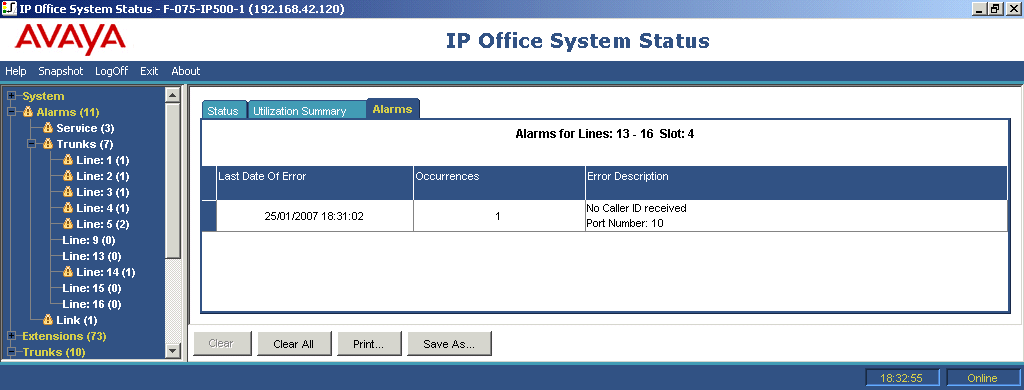
- In the Analog Trunk Summary, click the Alarms tab. If the central office is not providing Caller ID information, System Status displays No Caller ID received under Error Description.