AVAYA DOCUMENTATION CENTER
Find answers to your technical questions and learn how to use our products
Using IP Office System Status
Extension Button Selection
System Status can trace the buttons on a particular extension. The following example details a trace of button activity at an extension:
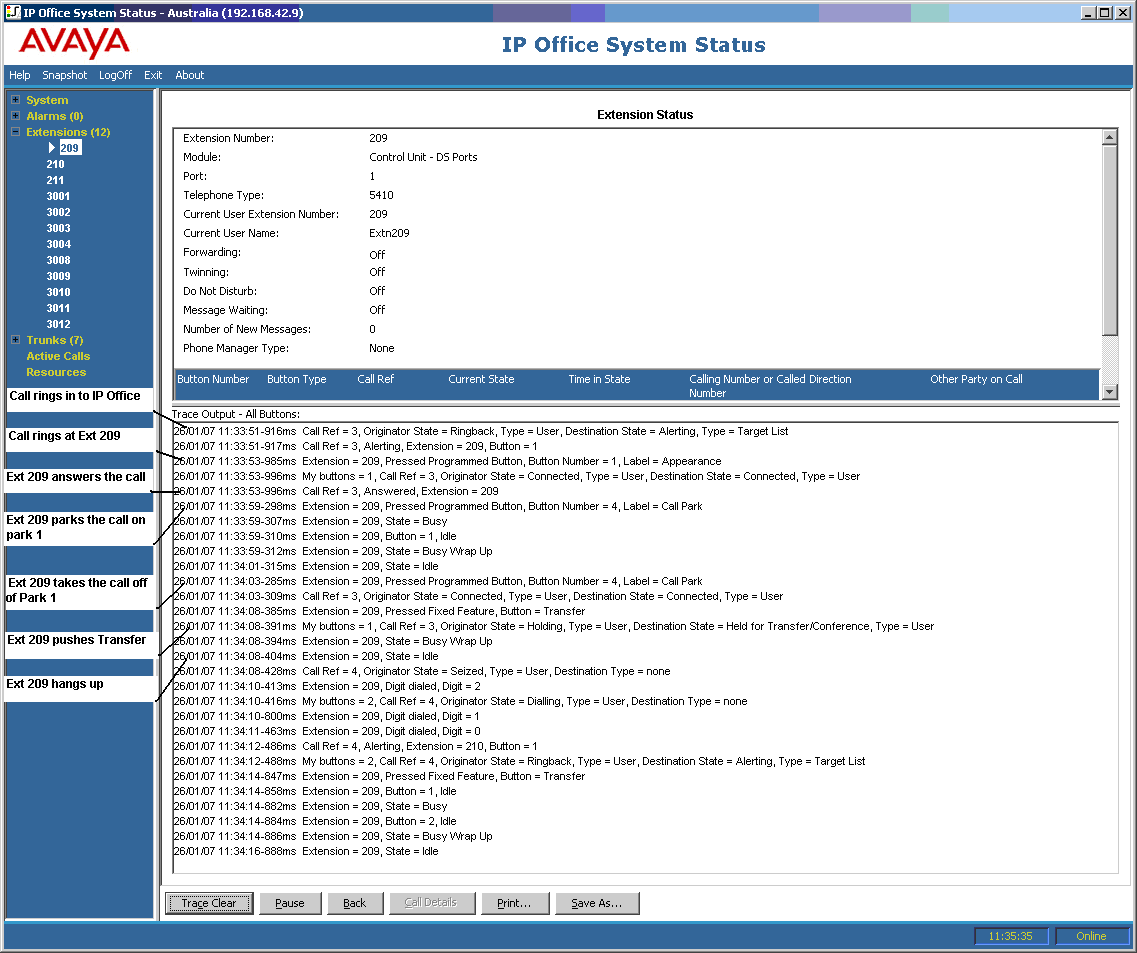
A call rings at extension 209.
Extension 209 answers by pressing a call appearance.
Extension 209 parks the call on Park 1.
Extension 209 takes the call off Park 1.
Extension 209 selects the Transfer button.
Extension 209 dials extension 210 and selects the Transfer button again.
Extension 209 hangs up.
Many trace events relating to an extension that has appearance buttons, will indicate a button number against the event. When troubleshooting, this allows you to understand why, for example; a call alerted on a particular extension.
If you are tracing from the Extension Status screen, you also see My buttons marked against call state changes.
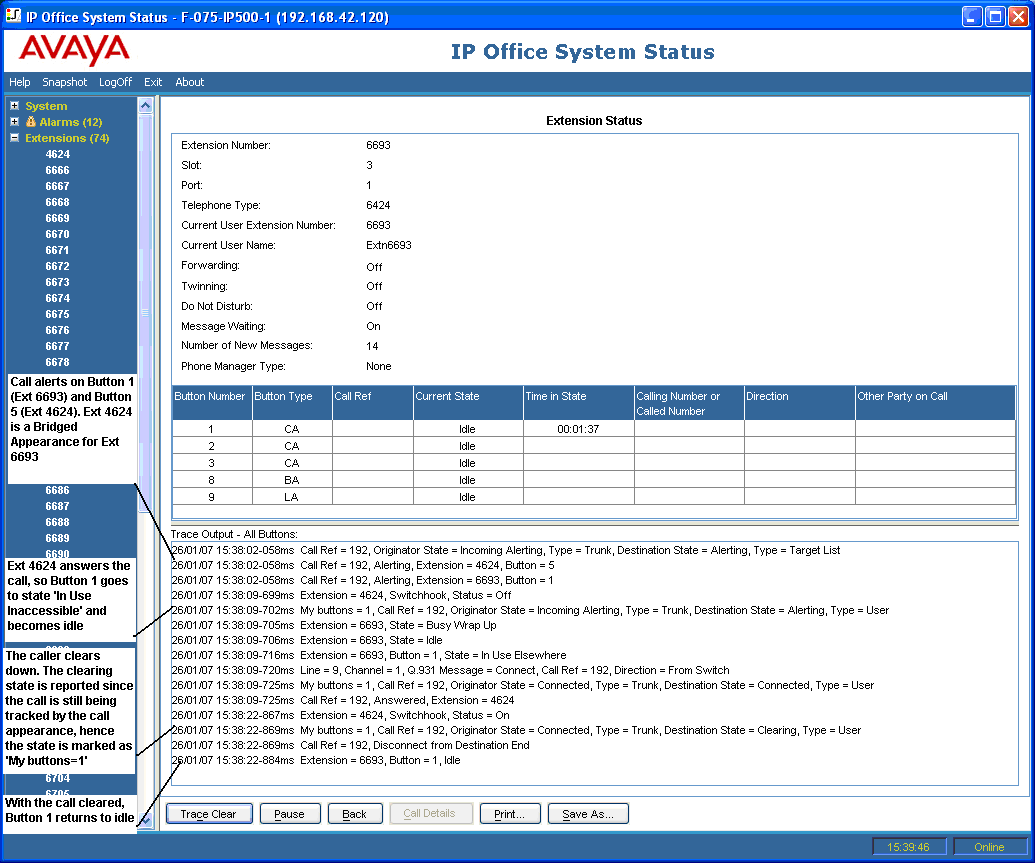
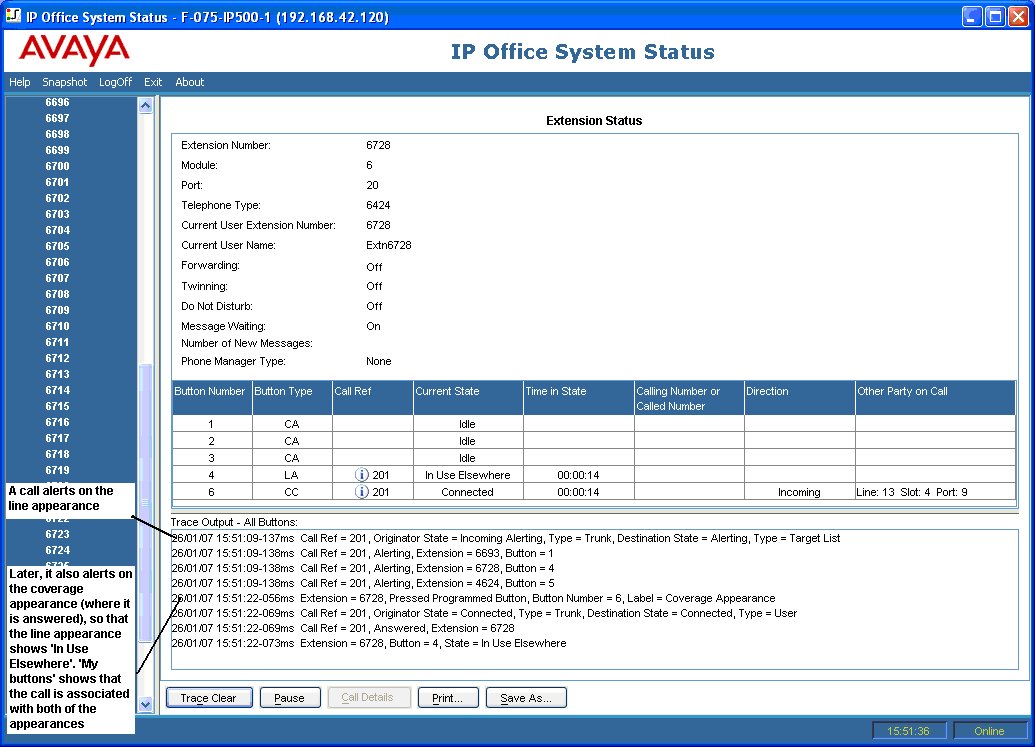
In some cases, a call may alert on more than one button on the same extension. For example, the extension might have a line appearance for the line originating the call and a coverage appearance for the destination of the call. In this case, the trace only shows the first alerting button.