

AVAYA DOCUMENTATION CENTER
Find answers to your technical questions and learn how to use our products
Using IP Office System Status
Base Station
Path:
This menu lists information for the select SIP DECT base station.
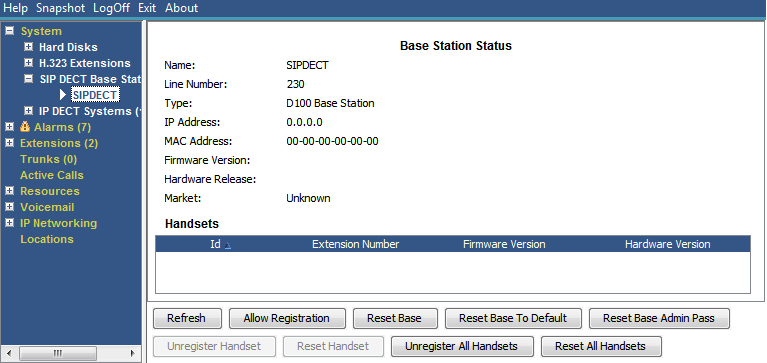
Buttons
The following buttons can appear on this screen:
Button |
Description |
|---|---|
Allow Registration |
Allow handset registration on the selected SIP DECT base station. |
Reset Base |
Reset (reboot) the selected SIP DECT base station. |
Reset Base to Default |
Reset the selected SIP DECT base station to its factory default settings. |
Reset Base Admin Pass |
Reset the selected SIP DECT base station's administration password. |
Reset Handset |
Reset the selected SIP DECT handset. |
Reset All Handsets |
Reset all handsets registered to the selected SIP DECT base station. |
Unregister Handset |
Unregister the select SIP DECT handset from the base station. |
Unregister All Handsets |
Unregister all the handsets from the selected SIP DECT base station. |