AVAYA DOCUMENTATION CENTER
Find answers to your technical questions and learn how to use our products
DITA and Tridion Docs Work Instructions and Guidelines
Comparing topic versions from the desktop repository
In the desktop repository, you can compare two different versions of the same topic to see the differences. You can compare the versions of the topic from an open publication in Publication Manager.
Note:
Comparing the versions is different than comparing the revisions.
- Start Publication Manager, and click .
- Locate the topic for which you want to compare the versions, in the lower-left corner, click Versions.
- In the Select Version dialog box, click Compare.
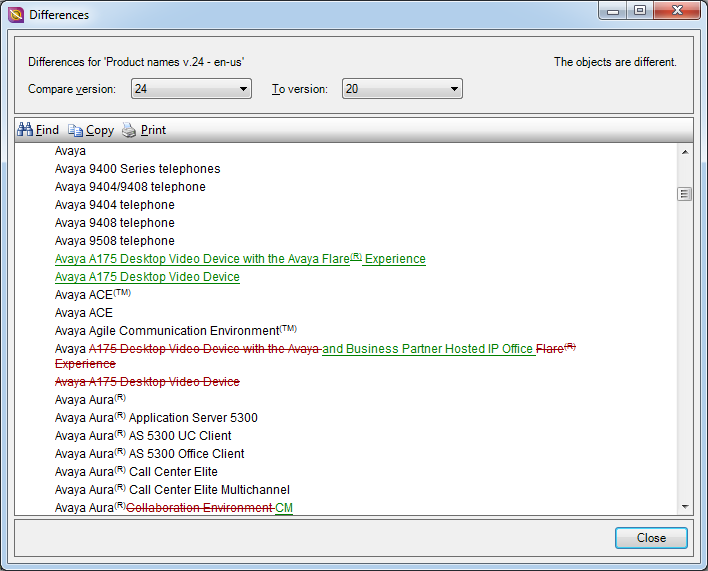
- In the Differences dialog box, in the Compare version field select the version to use as the basis for the comparison.
- In the To version field, select the version with which you want to compare.
- Click OK.
STEP RESULT:The Differences dialog box displays the differences between the two topics. Content that appears in green and underlined is content that has been added in the version specified in the Compare version field. Content that has been removed is crossed out, and appears in red.