AVAYA DOCUMENTATION CENTER
Find answers to your technical questions and learn how to use our products
DITA and Tridion Docs Work Instructions and Guidelines
Creating a new support request
Before you begin
-
Log in to the Avaya network to use the Jira software.
-
Request for access to the INFOSOLUTIONS project.
- Go to the Infosolutions Jira project.
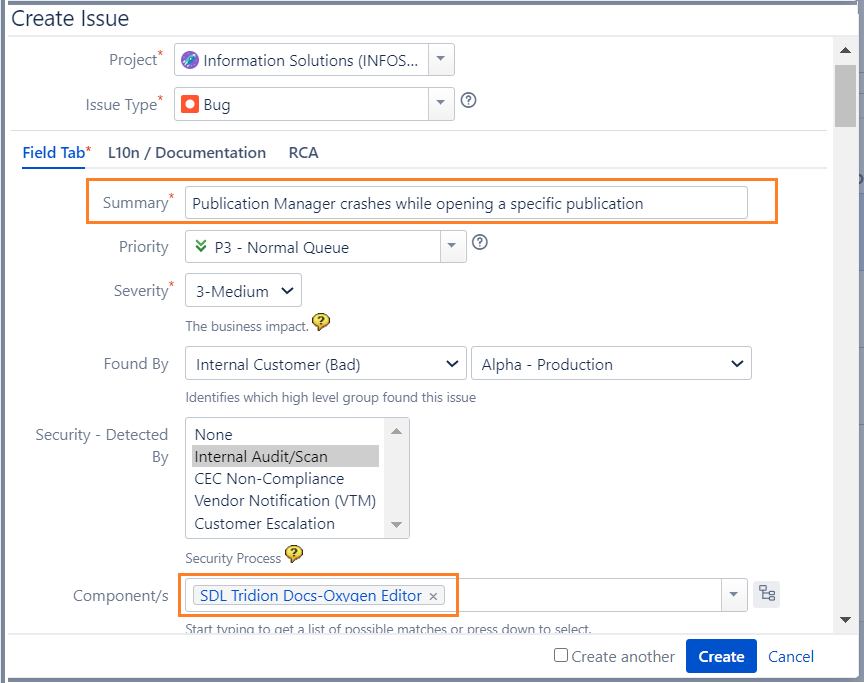
- Click Create.
- Provide the issue type, priority, and severity of the issue.
- In Components, select an appropriate value.
ADDITIONAL INFORMATION:See Create the DITA support ticket.
- Click Create.
STEP RESULT:The form is submitted and the assignee is notified of the issue.