

AVAYA DOCUMENTATION CENTER
Find answers to your technical questions and learn how to use our products
DITA and Tridion Docs Work Instructions and Guidelines
Drawing shapes
Like other drawing programs, Inkscape offers creation of basic shapes, such as ellipses, rectangles, stars, polygons, and spirals, as well as the ability to transform and manipulate these basic shapes by rotation, stretching, and skewing.
- Click on the shape in the left tool pane, drag it to the canvas, and drop it.
- Click the selector tool , select the shape, and resize using the arrows.
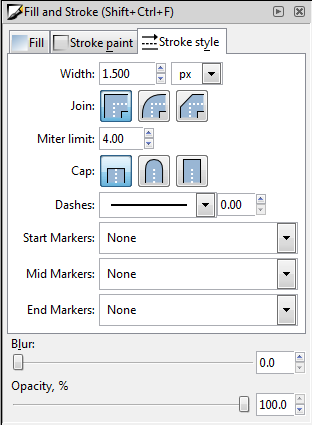
- To change the appearance of the shape, select ) to open the Fill and Stroke panel.
ADDITIONAL INFORMATION:
-
Use the Fill tab to select a solid color, a linear or radial gradient, or no color.
-
Use the Stroke paint tab to change the color of the outline of the shape or click X to choose to not have an outline.
-
Use the Stroke style tab to change the appearance of the line to 1.5 px, which is our standard line width.
-
- To close the Fill and Stroke panel, click the X in the upper-right corner of the panel.