

AVAYA DOCUMENTATION CENTER
Find answers to your technical questions and learn how to use our products
DITA and Tridion Docs Work Instructions and Guidelines
Forcing worksheets and checklists to start on a new page
You can force worksheets and checklists to start on a new page in the PDF output. This allows users to print those pages without getting unrelated content. Apply this functionality only to worksheets and checklists.
- From the publication, check out the topic that contains worksheet or checklist.
- Double click or select the topic's root element.
For example, task element in a task template.
- In the Attributes window, in outputclass, type worksheet.
ADDITIONAL INFORMATION:
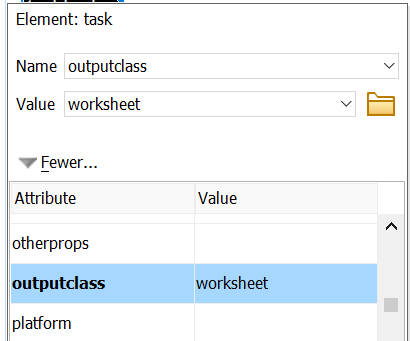
- Click OK.
- Check in the topic and produce the output to validate that the topic starts on a new page.