

AVAYA DOCUMENTATION CENTER
Find answers to your technical questions and learn how to use our products
DITA and Tridion Docs Work Instructions and Guidelines
Icon size is larger than expected
Condition
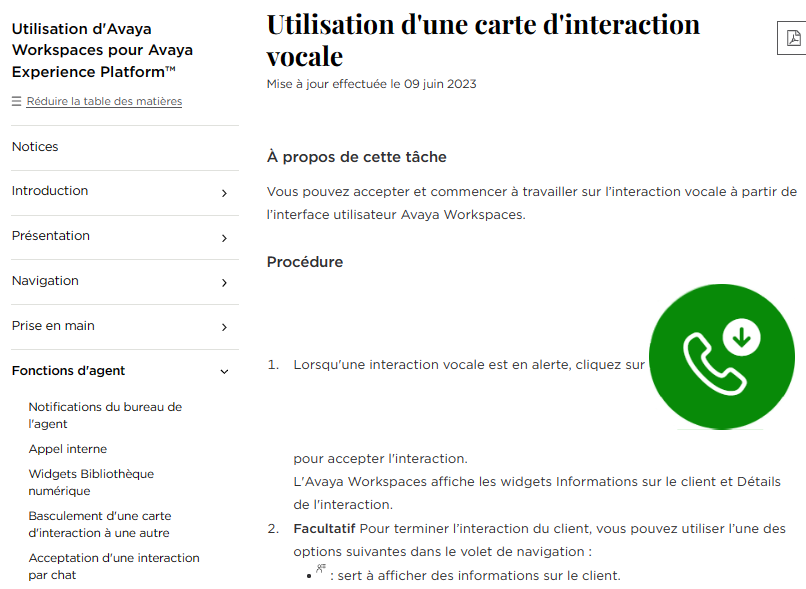
The icon size on Avaya Documentation Center is larger than expected, specifically in French, Spanish, German, Japanese, and Chinese (Simple & TW) languages. This issue occurs despite the alt text has the word 'icon‘ and its height set to about 11 or 12 points.
Cause
The word ‘icon’ in the alt text of the image makes the icon appear smaller than other images. However, you might still see the following issues:
-
Writer might miss adding an alt text to the image or miss adding ‘icon’ in alt element in the image.
-
When content in alt text is translated, the condition icon term is not met, therefore, the page displays the image larger.
Solution
- Check out a topic that has the icon in Oxygen XML Author.
- Select the image element of the icon.
- Add the word icon in the alt element.
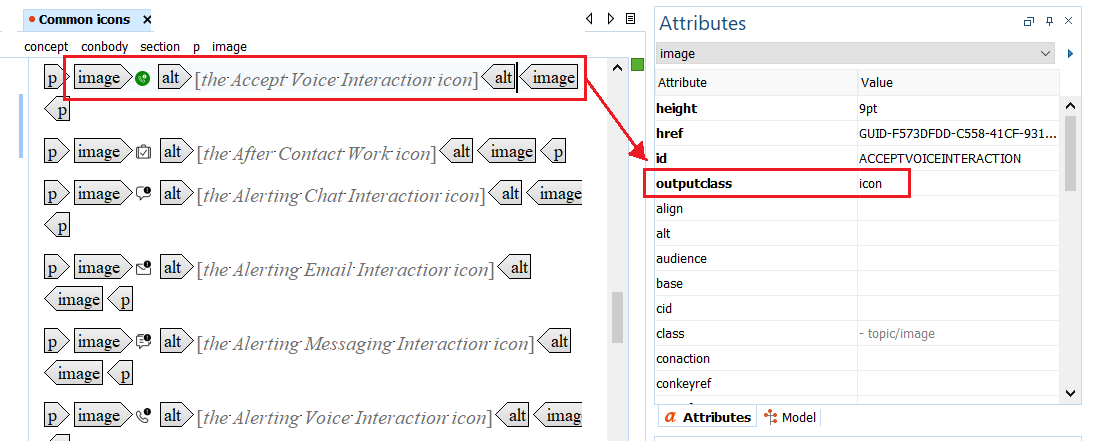
ADDITIONAL INFORMATION:For example, the Accept Voice Interaction icon.
- In the Attributes dialog box, type icon in the outputclass field.
ADDITIONAL INFORMATION:
 Note:If you reuse the image element, add the attribute in the source image topic and not in the target topic.
 - Check in the topic and generate the Avaya Documentation Center output.
- Verify that the page displays the icon size correctly.