

AVAYA DOCUMENTATION CENTER
Find answers to your technical questions and learn how to use our products
DITA and Tridion Docs Work Instructions and Guidelines
Images appear smaller on Documentation Center
Condition
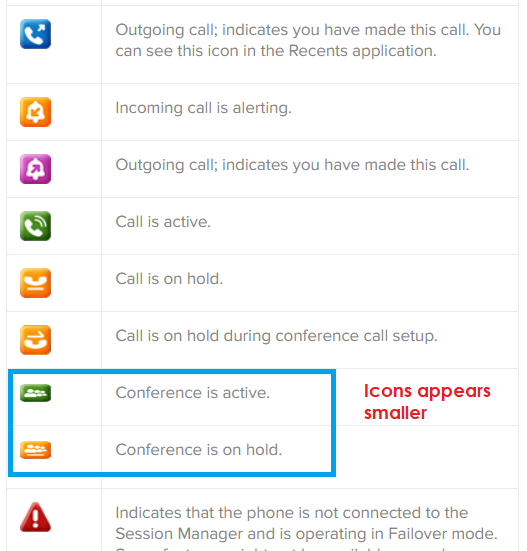
On Avaya Documentation Center, the page displays some images smaller than others, though you have set to the same size.
Cause
When you add an image element inside a <p> element in the topic, in the Avaya Documentation Center output, the .css file imposes a maximum height restriction of 16 pts.
Solution
- Check out the topic with images.
- Identify the image that appears smaller on Avaya Documentation Center and move the image element out of the <p> element.
ADDITIONAL INFORMATION:
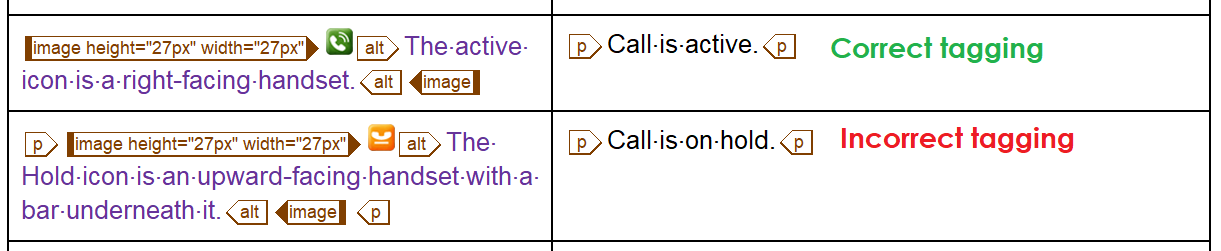
- Delete the empty <p> element.
- Publish the output on Avaya Documentation Center and verify that the page displays the image size correctly.