

AVAYA DOCUMENTATION CENTER
Find answers to your technical questions and learn how to use our products
DITA and Tridion Docs Work Instructions and Guidelines
Supporting context-sensitive help for HTML outputs that use context IDs (Eclipse Help, .chm, and Heritage Nortel projects)
Projects that produce Eclipse Help and.chm help and content converted from Heritage Nortel projects use the resource ID element in DITA to specify the required context IDs in topics. If your project does not require context IDs, see the topic Supporting context-sensitive help for the other method of supporting context-sensitive help.
- Check out the topic in Oxygen XML Author.
- Position the cursor before the end prolog element and press Enter.
ADDITIONAL INFORMATION:If your topic does not already have a prolog element, add one before the taskbody element.
- Select resourceid from the list that displays.
ADDITIONAL INFORMATION:
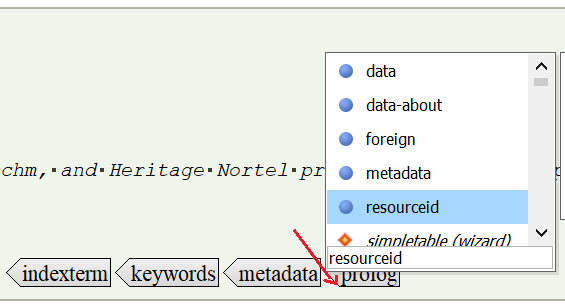
- Enter the ID for the topic in the resourceid.
ADDITIONAL INFORMATION:For .chm help, enter the id in the format
string:context #, where:string is the name of the topic, such as a concatenated version of the topic title, and context # is the context number from development. For example,AddUser:342123. - Check in the topic.
STEP RESULT:When you produce an HTML output, a mapping file will be automatically produced that includes the topic you added the resourceid to. For .chm, the information is built into the output.