

Configuring keyboard actions

Last Updated : Mar 10, 2024 |

About this task

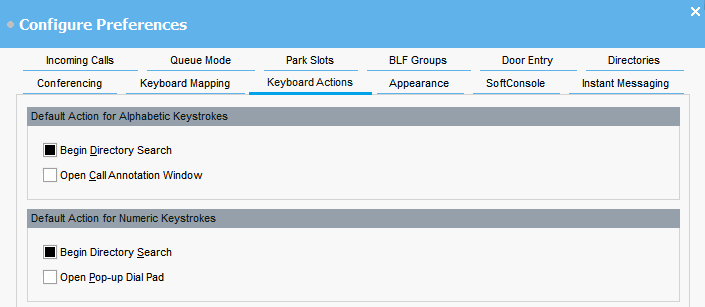
You can specify what happens in the console when you start pressing alphabetic or numeric keyboard characters.


Before you begin

If you want to modify the Maximum length for call notes field, you must log in to the console in Administrator mode.

Procedure

  1. Click Preferences Preferences.
  2. Select Keyboard actions.
  3. Select the appropriate default action for alphabetic keystrokes. The options are:
    • Begin Directory Search

    • Open Call Annotation Window

  4. Select the appropriate default action numeric keystrokes. The options are:
    • Begin Directory Search

    • Open Pop-up Dial Pad

  5. Optional If you are in Administrator mode, modify Maximum length for call notes if required.

    The default length is 16 characters. If you increase this value, the note might not be fully visible on all telephones and applications. The length specified in this field also applies to text messages that you send to other users’ phones.