

AVAYA DOCUMENTATION CENTER
Find answers to your technical questions and learn how to use our products
Using IP Office SoftConsole
The call detail panel
The call details panel contains a side-by-side display of current call information. A slider positioned between the two panels allows you to adjust the size of the panels as required.
The panel on the left contains details about the current calls. When a single call is in progress, either ringing or connected, the panel contains details for that call.
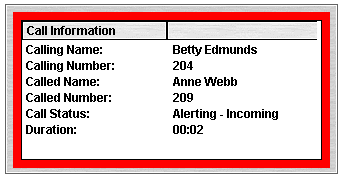
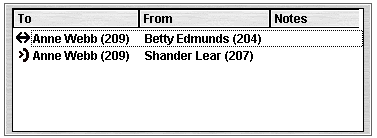
If you have multiple call appearances set, additional calls are shown when they arrive. Clicking the separate calls has the same effect as pressing the matching call appearance buttons on the telephone: The selected call is answered, and previously connected calls are automatically put on hold.
The following details can be shown for a single call:
Call detail |
Description |
|---|---|
Calling name |
The name associated with the calling number. For external calls, this can be a name obtained from a calling number match with the telephone system directory. |
Calling number |
The telephone number of the caller, if available. |
Called name |
The name associated with the called number. |
Called number |
The extension number to which the telephone system routed the incoming call. |
Call status |
The progress of the call. The border around the panel changes color to indicate the status of a call. The following default colors are associated with call status:
|
Duration |
The length of time that the call is in its current state. Examples of states include ringing, connected, or held. |
Notes |
Displays notes or information about the call, including any annotations that are added. For example, when a call returns, the reason for the return is shown. |