AVAYA DOCUMENTATION CENTER
Find answers to your technical questions and learn how to use our products
Using IP Office SoftConsole
Editing directory entry properties
About this task
You can use the Directory Entry Properties window to edit the properties of the entry selected.
All directory entries have an icon that indicates the entry type.
 indicates user
 indicates a directory entry
 indicates a hunt group
Note:
The settings shown in console are those that were current when the user or group was selected. If the settings are then updated by another method, for example from a user’s phone, those changes are not shown until the existing settings are closed and then reopened.
Procedure
- Click
 .
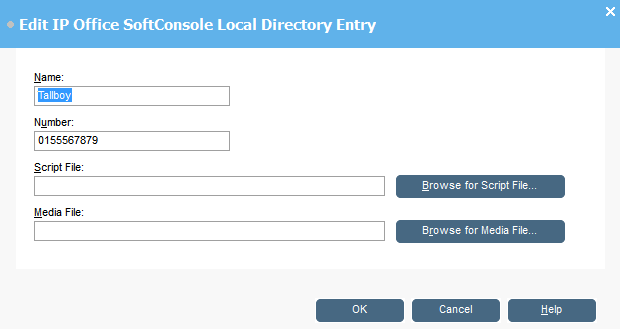
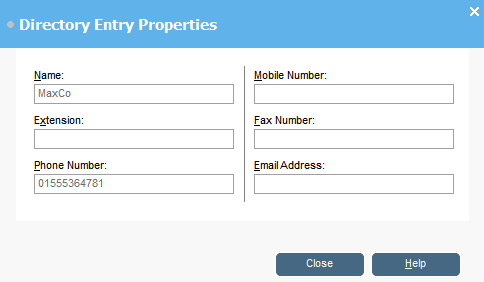
. - Double-click on the properties to show the details. The form that opens depends on whether the number is from the telephone system directory or from the local console directory.
The Directory Entry Properties form displays names and numbers from the telephone system. These are used both for outward dialing and to match names to incoming caller numbers. Entries in the telephone system directory are available to all users through directory functions on their telephones. The only fields used for a telephone system directory number are Name and Phone Number. These cannot be changed through the console.
The Edit IP Office SoftConsole Local Directory Entry window displays the local console directory for outgoing dialing and to match a name to an incoming call. When a name match exists in both the telephone system directory and the console directory, the name in the console directory is used.