

AVAYA DOCUMENTATION CENTER
Find answers to your technical questions and learn how to use our products
Using IP Office SoftConsole
Answering incoming calls
About this task
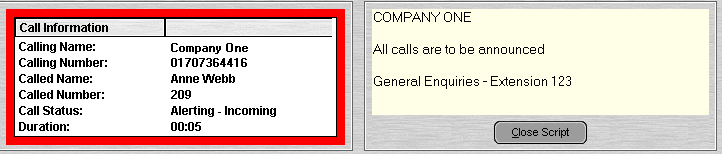
When an incoming call is received, the Call panel is outlined in red and displays information about the caller. If a script file is associated with the incoming number, the script is shown in the right call panel.
Procedure
- To answer a call, do one of the following:
Press Enter.
Click
 .
.Click .
Pick up the handset if using your telephone.
Double-click in the Call panel.
When a call is answered, the caller information is outlined in green.