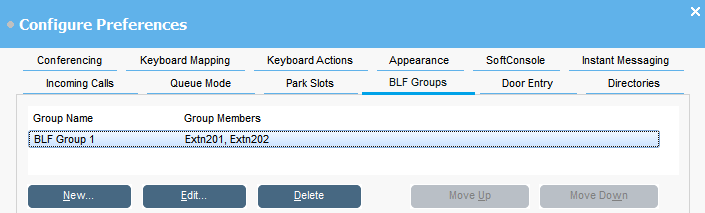
Busy Lamp Field (BLF) icons provide user status and speed dials at a glance. You can add icons for other numbers, which act as speed dials. You can also group BLF icons to appear on different named tabs.
Procedure
Click Preferences.
Select BLF groups.
The menu displays the name of each group and the members within the group.
To create a new BLF group:
Click New.
You can also right-click on a blank area of the BLF panel and then select New > BLF groups.
Enter a unique name in BLF Group Name.
Select the required members from the Members not in BLF Group list.
You can press Ctrl on your keyboard to select multiple members at a time.