

AVAYA DOCUMENTATION CENTER
Find answers to your technical questions and learn how to use our products
DITA and Tridion Docs Work Instructions and Guidelines
Checking out a map to make updates in Publication Manager
About this task
You can check out a deliverable map or component map in Publication Manager. You must check out a DITA map, to perform the following tasks:
Add component maps
Change the order of topics
Add topics
Remove topics
Add or change relationship tables.
Add or change XML attributes.
Tridion Docs automatically checks out a map when you perform an action that requires the map to be checked out.
Note:
To perform an action such as adding a trademark to the mainbooktitle, check out the bookmap in Oxygen XML Author from the browse repository. Do not use this procedure.
Procedure
- In Oxygen XML Author, click Editor in Select editor dialog box.
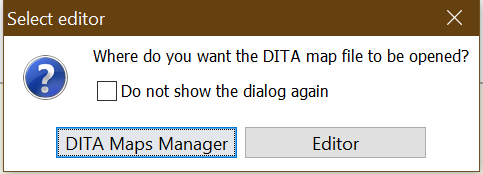
The ditamap opens in Oxygen XML Author.