AVAYA DOCUMENTATION CENTER
Find answers to your technical questions and learn how to use our products
DITA and Tridion Docs Work Instructions and Guidelines
Modifying element attributes
About this task
You might need to modify attributes of an element to add ID for element reuse or set conditions, translations, reuse, and so on.
Procedure
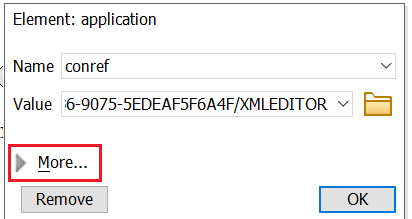
- In the Attributes window, add or modify the attributes.
In the pop-up Attributes window, click More to expand the view to see more attributes.