AVAYA DOCUMENTATION CENTER
Find answers to your technical questions and learn how to use our products
DITA and Tridion Docs Work Instructions and Guidelines
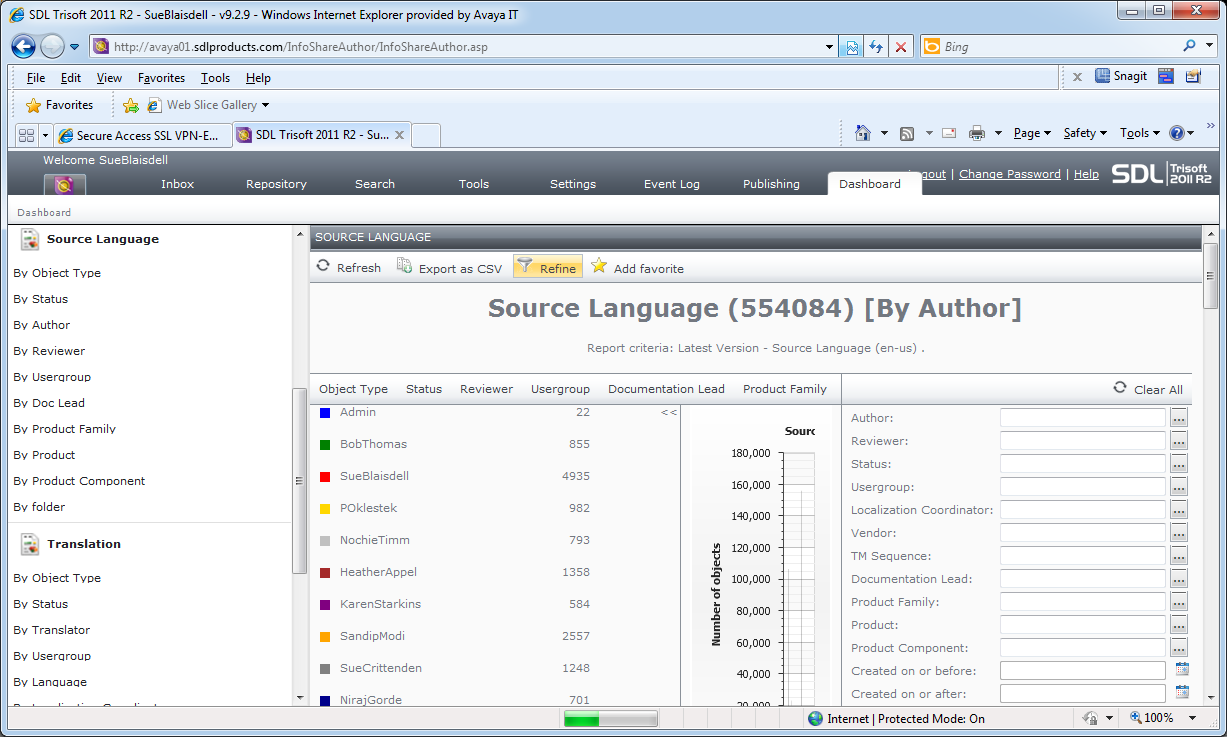
Tridion Docs dashboard
You can use the dashboard tab in the Tridion Docs web interface to gather information about content stored in the system and to compare publications. You can get the following information in the dashboard:
Number of objects by type (topics, maps, images)
Number of objects in each workflow status
Number of objects owned by system users in different roles (Author, Reviewer, Doc Lead)
Number of objects in a user group (user groups are how we manage permissions)
Number of objects for a product family (these are the high-level folders in the repository)
Number of objects for a product
Number of objects in a folder
You can narrow the scope of the metrics by combining categories. For example, you can capture the number of objects by product and then narrow the scope by adding the object type to find the number of topics for each project. You can refine the results further by limiting the scope. For example, you can limit the metrics to the number of objects for one project.
You can also use dashboard to locate a publication and compare two publications.