AVAYA DOCUMENTATION CENTER
Find answers to your technical questions and learn how to use our products
DITA and Tridion Docs Work Instructions and Guidelines
Extending an image past the right margin
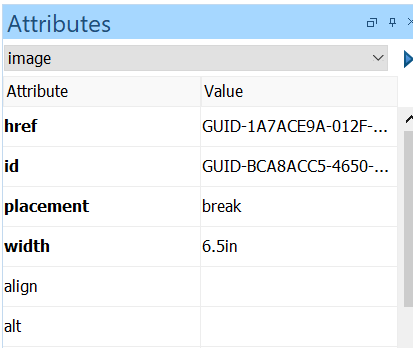
By default, images are scaled during PDF generation to 6.25” in width to align with the text box, if the placement attribute is set to break on the image element. To extend an image beyond the right margin, but still within the page, you can override the default setting.
Procedure
- In the Attributes window, type a value between 6.3in and 6.75in in the width field.
The value you enter depends on how far you want the image to extend past the text box margin. If the image is available on the first page of a chapter, you can extend beyond 6.75 inches.