AVAYA DOCUMENTATION CENTER
Find answers to your technical questions and learn how to use our products
DITA and Tridion Docs Work Instructions and Guidelines
Condition states in Tridion Docs
Beginning from Tridion Docs 14.0, behavior of Publication Manager with conditions has been improved, especially when conditions are absent or not defined in the Conditions tab.
You might see the following three states for the conditional context:
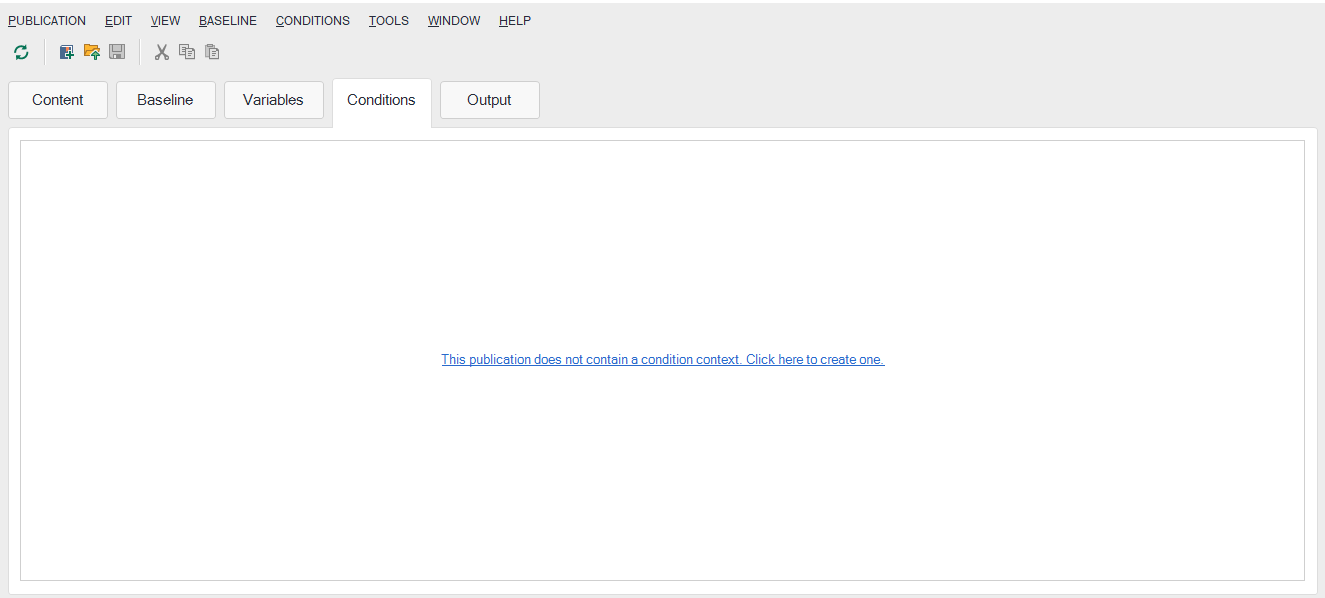
No conditional context is defined or has an empty field value. The message
This publication has no context set, so upon publishing all conditional content will be included.is displayed in the Conditions tab and the conditional filtering is disabled.Figure : 1. Conditions tab with no condition context
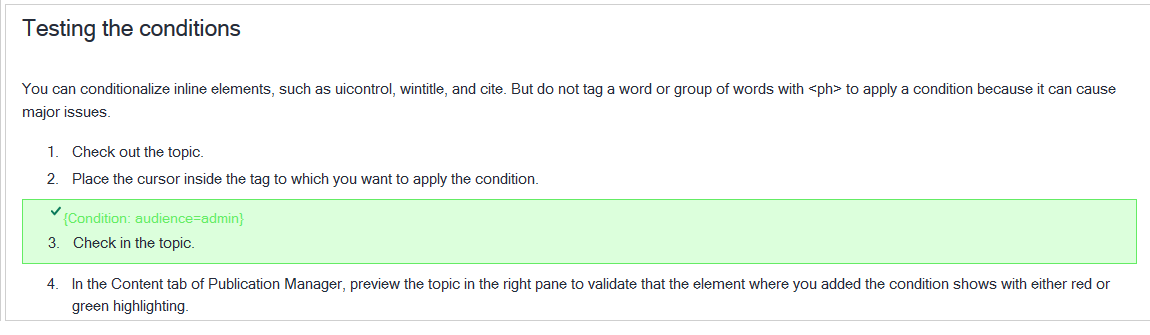
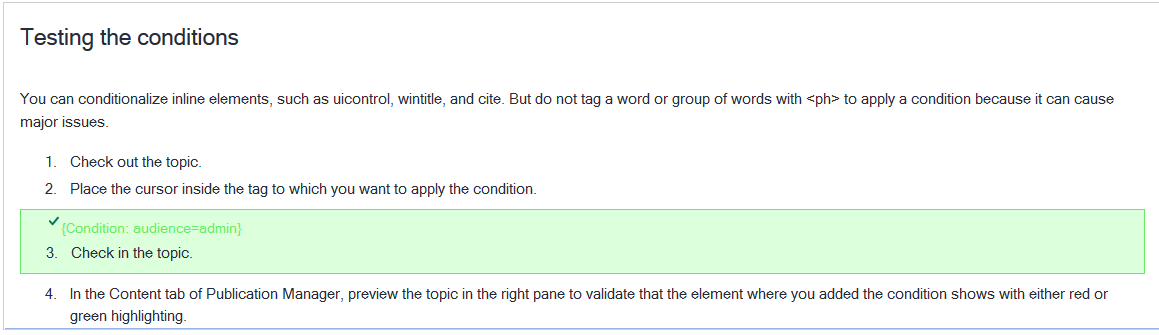
As a result, all conditioned content within this publication is displayed in green in the preview and the content is displayed on publishing the output.
In the example, the condition
audience=adminis not defined in the Conditions tab, however, the content in the step with audience=admin is still displayed.Figure : 2. Conditioned content in the preview with no condition context
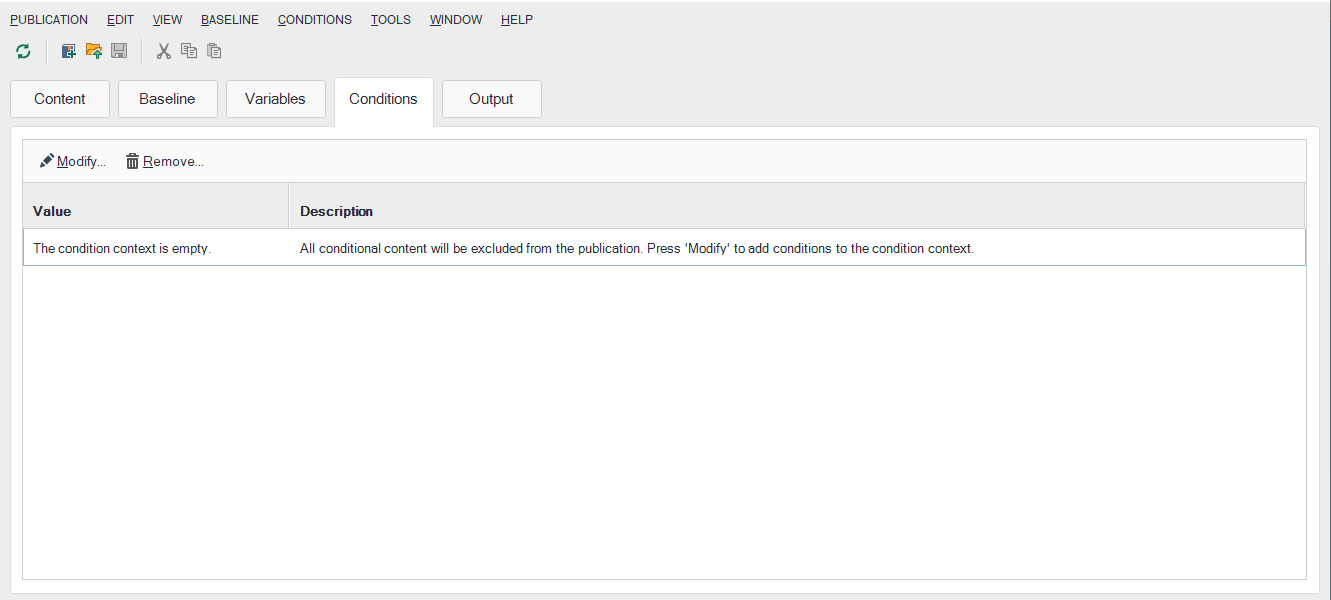
Conditional context is available, however, no condition or no condition value is defined. The conditional filtering excludes (hides) all conditioned content in the publication while publishing.
Figure : 3. Conditions tab with empty condition context
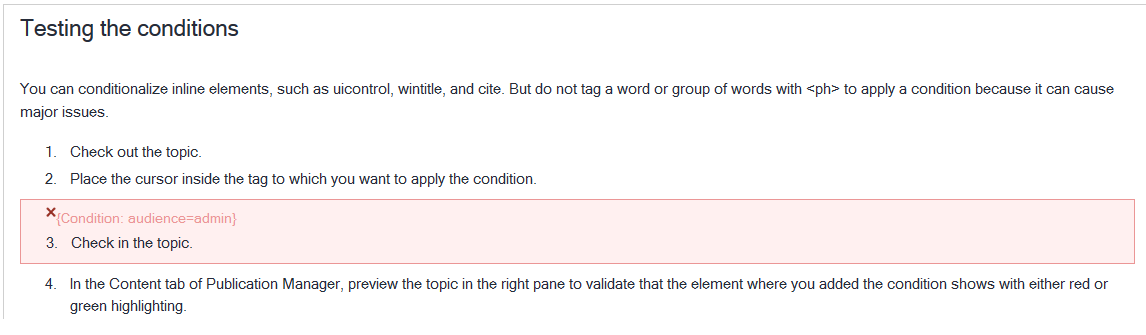
All conditioned content is displayed in red in the preview.
Figure : 4. Conditioned content in the preview with empty condition context
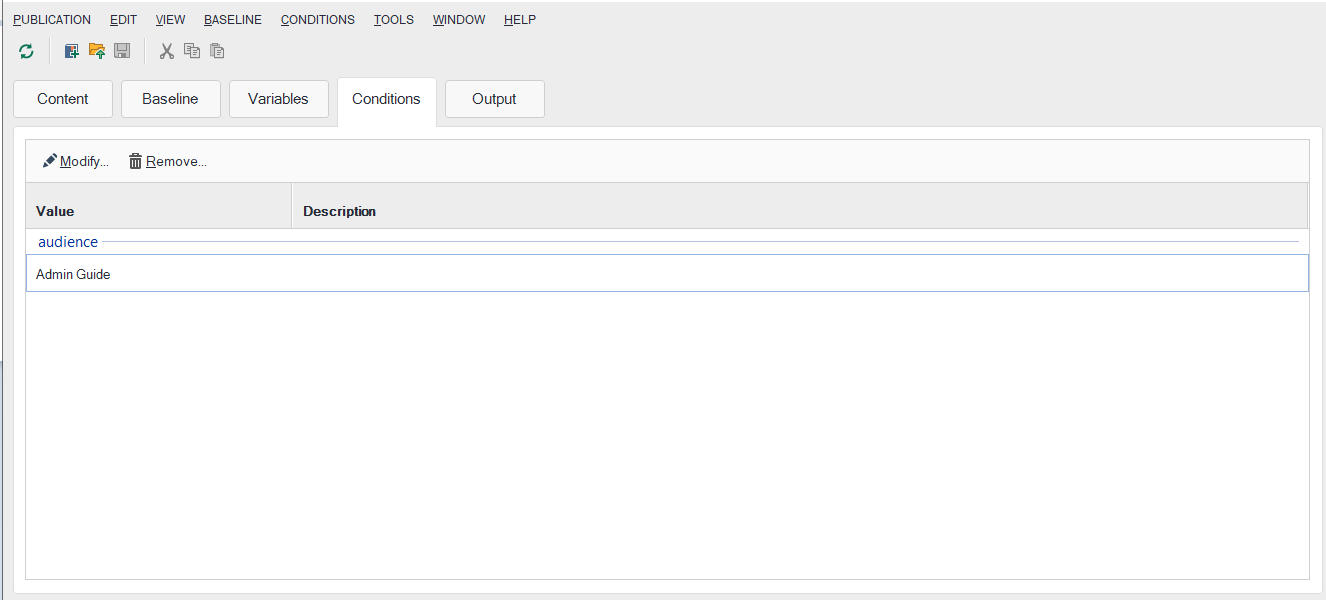
Condition and condition values are defined, and content is included or excluded as defined by the conditions. The content is displayed in green or red accordingly in the preview.
Figure : 5. Conditions tab with a conditional context value
The content is displayed in green or red accordingly in the preview.
In the example, the condition
audience=adminis defined in the Conditions tab. Therefore, the content in the step withaudience=adminis displayed.Figure : 6. Conditioned content in the preview when condition and condition values are defined