

AVAYA DOCUMENTATION CENTER
Find answers to your technical questions and learn how to use our products
Avaya Oceana® Solution Description
Avaya Analytics for Avaya Oceana architecture
The following diagram depicts the architecture for the deployment of a typical Avaya Analytics™ reporting solution with High Availability (HA) deployment options:
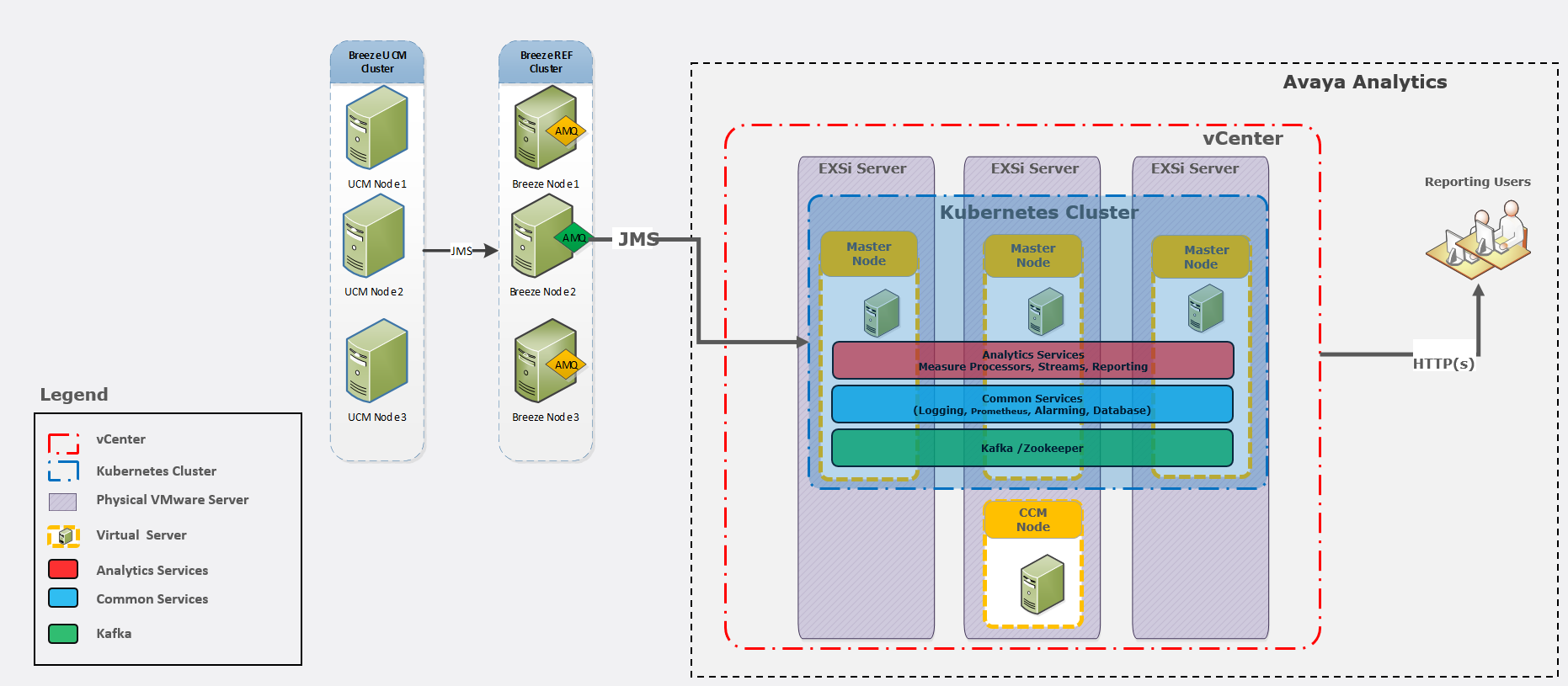
In Avaya Analytics™, the operational report database gets deployed automatically with a primary and standby instance. Avaya Analytics™ measures processors are deployed as a primary or standby pair and the streams services are deployed with a replica count of two on the cluster facilitating load balancing and high availability. You can enable Avaya Analytics™ high availability before deploying the solution. The streams services provide producers and measures to Avaya Workspaces for use in real-time reporting dashboards.
The following diagram depicts the architecture for the deployment of a typical Avaya Analytics™ reporting solution with non-HA deployment options:
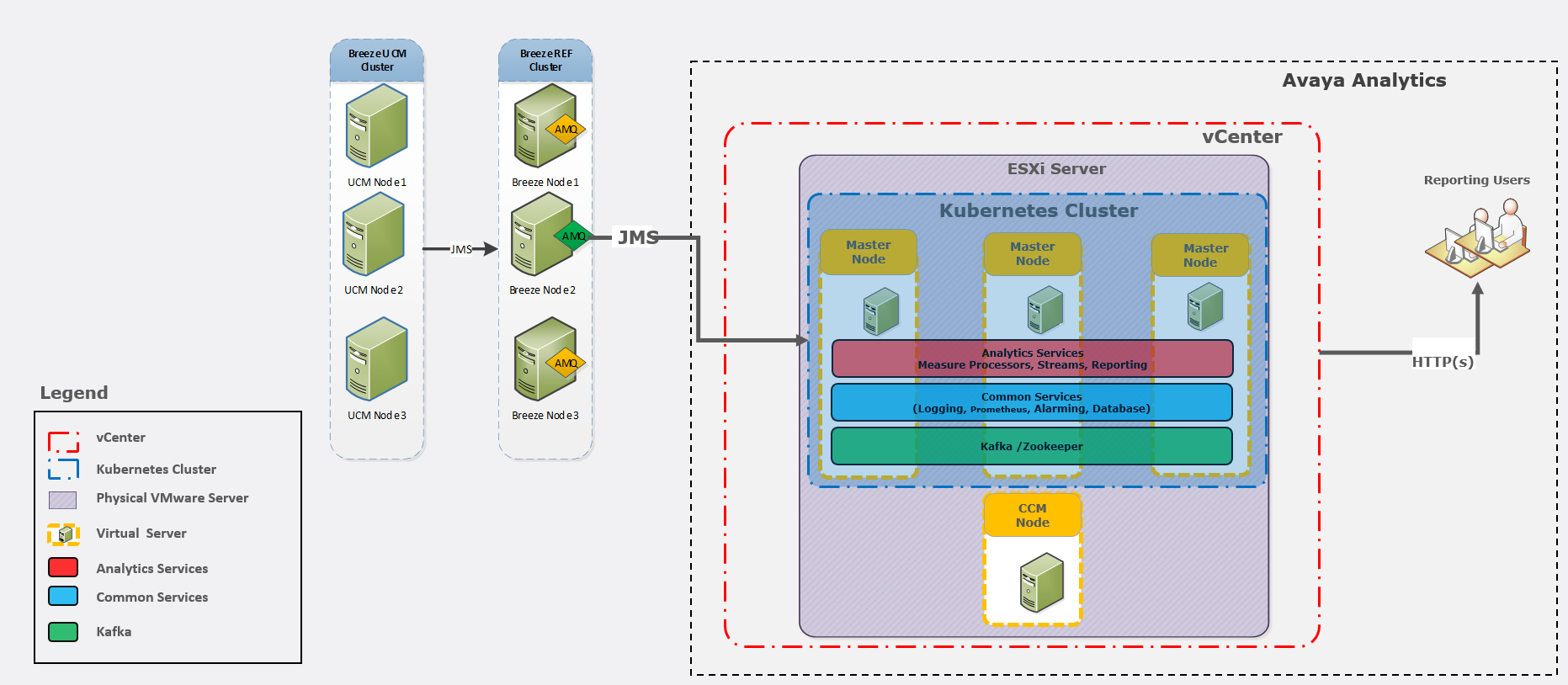
Avaya Analytics™ provides non-HA support for agent footprints with 100, 500, and 1000 agents that you can use in lab and production environments. Non-HA deployments reduces the number of physical servers required to 1 server and eliminates the vSphere Enterprise Plus license requirement because DRS is no longer required. Non-HA deployments also reduces the footprint because only one instance of each application pod is deployed.