

AVAYA DOCUMENTATION CENTER
Find answers to your technical questions and learn how to use our products
Deploying Avaya Experience Platform™ (On-Prem + Connect)
Deployment process flow
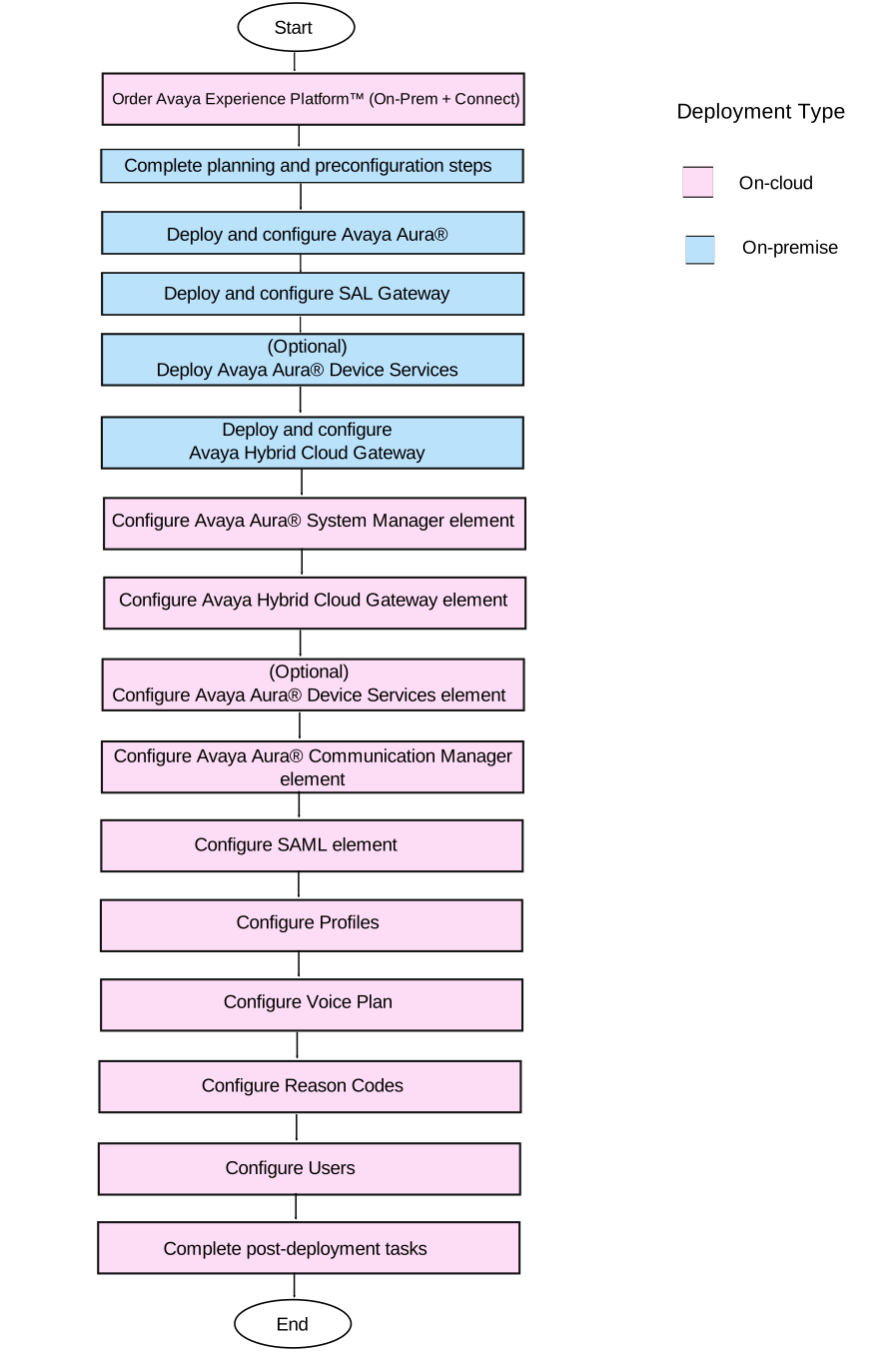
No. |
Tasks |
Description |
 |
|
|---|---|---|---|---|
1 |
Order Avaya Experience Platform™ (On-Prem + Connect) |
|||
2 |
Complete planning and preconfiguration steps |
|||
3 |
Deploy and configure Avaya Aura® |
|||
4 |
Deploy and configure SAL Gateway |
|||
5 |
Deploy and configure Avaya Aura® Device Services |
|||
6 |
Deploy and configure Avaya Hybrid Cloud Gateway |
|||
7 |
Configure the Avaya System Manager element |
|||
8 |
Configure the Avaya Hybrid Cloud Gateway element |
|||
9 |
Configure the Avaya Aura® Device Services element |
|||
10 |
Configure the Communication Manager element |
|||
11 |
Integrate SAML with your Active Directory |
|||
11 |
Configure a profile |
|||
13 |
Configure the system range and user voice plan |
|||
14 |
Configure the reason codes and call work codes |
|||
15 |
Configure users |
|||
16 |
Complete post-deployment tasks |
|||